

Setting up Habits & chores
Les articles d’aide sont pour l’instant disponibles uniquement en anglais.
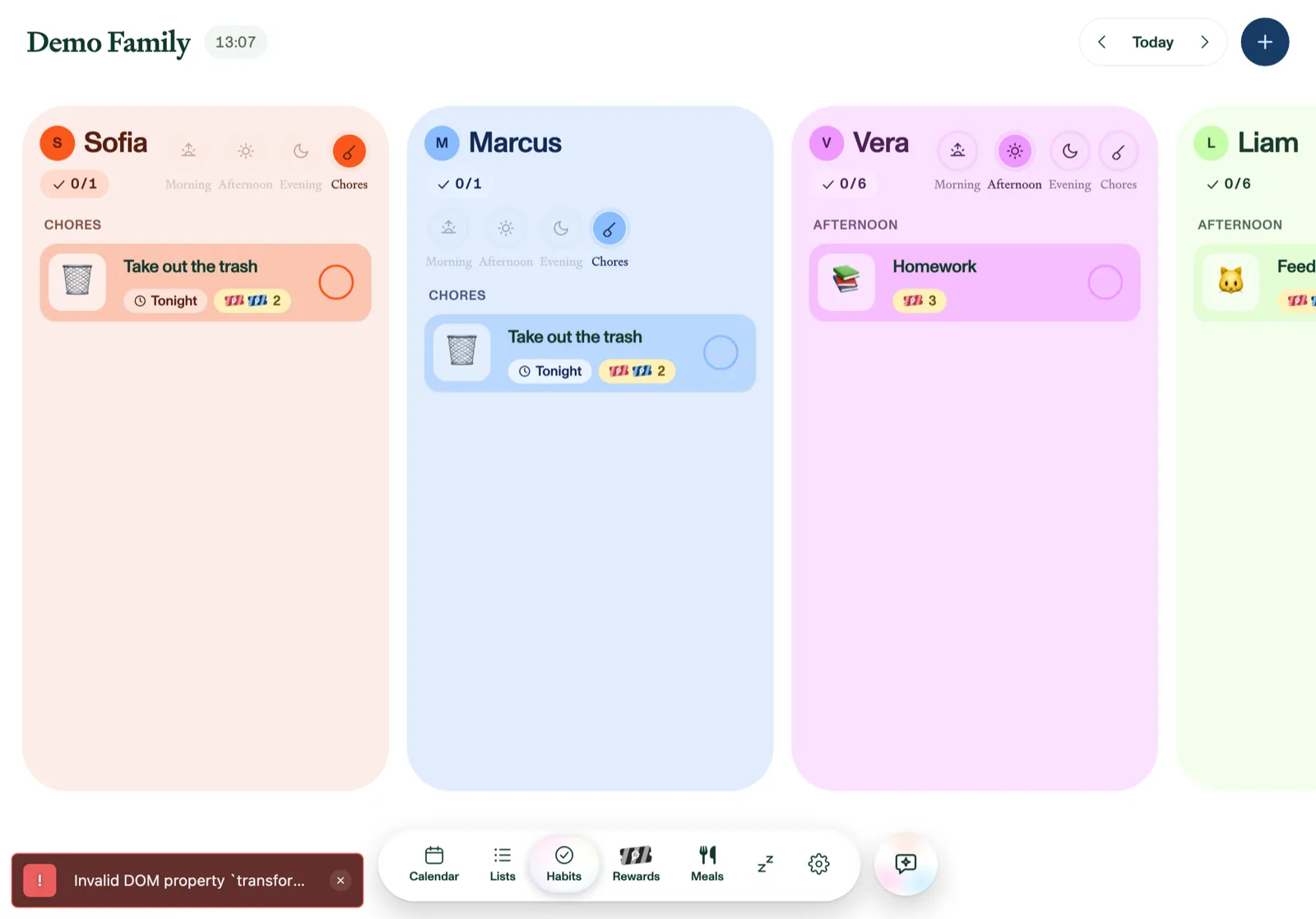
The Habits tab gives every family member their own column of routines and chores (morning things, after-school things, and the weekly jobs), with satisfying animations when they get done. Habits are part of Plannie Premium.
Create a habit
Tap + in the header:
- Name and an optional emoji icon.
- Assign to one or more members. It appears in each of their columns.
- Time of day: Morning, Afternoon, Evening, or Chores.
- Every: how often it repeats, from a dropdown: Once, Daily, Weekly, Every 2nd week, Monthly, Quarterly, Every 6 months, or Yearly. Weekly and Every 2nd week add day-of-week picks. Monthly and the longer intervals add a Starting date (prefilled with today), which is the first day it's due and the date it comes back on each period.
- Tickets per completion: how many tickets the completion adds to that member's reward balance. Tap − and + on the ticket badge to step the amount up or down, or tap the number itself to type any value from 0 to 1000 straight in. Step it down to 0 — the badge then reads None — for a routine you want tracked but not rewarded: it saves like any other habit, and simply carries no ticket badge.
The first time an adult opens Habits or Rewards with Plannie Premium running, Plannie asks whether your family earns tickets or stars. If you picked stars, every "ticket" here reads "star" in the app. See Rewards & family goals.
Habits that guided setup suggested and you added carry a small sparkle, the Set up by Plannie mark. They work like any other habit.
On an iPhone or iPad you can also add one by voice: "Hey Siri, add a chore in Plannie". See Using Plannie with Siri.
Completing habits
Tap the circle to check a habit off (tap again to undo). Each member's column has time-of-day filters with progress rings, and when someone finishes everything for the day, they get a full-screen celebration. Use the date pager to look at past or coming days.
To see only some of the family, tap their avatars in the header to show or hide their columns. On a phone, tap the menu button (☰) at the top left instead: it lists a checkbox for each family member under People (uncheck the last one and everyone comes back). Habits and Rewards share this selection, separate from the Calendar's, and Plannie remembers it the same way the Calendar remembers who you've hidden. Hiding someone only tidies the board: you can still assign them habits.
A repeating habit appears on the day it's due (the weekday you picked, or its Starting date) and then stays on the board until someone checks it, so a Friday job left undone is still waiting on Saturday. Checking it off puts it away until the next day it's due, and a new due day arriving while it's still open never stacks up a second copy. Once habits show until they're done and then don't come back; Daily ones appear every day.
Completions are instant; there is no parent-approval step. Habits worth tickets feed straight into Rewards.
Edit or delete
Swipe a habit (or hover on the web) for Edit and Delete. Deleting a repeating habit asks whether to remove just this once or the whole series.
Every habit is also listed under Settings → Habits & rewards: tap one to edit it, or tap Add habit to make a new one.