

Rewards & family goals
Los artículos de ayuda solo están disponibles en inglés por ahora.
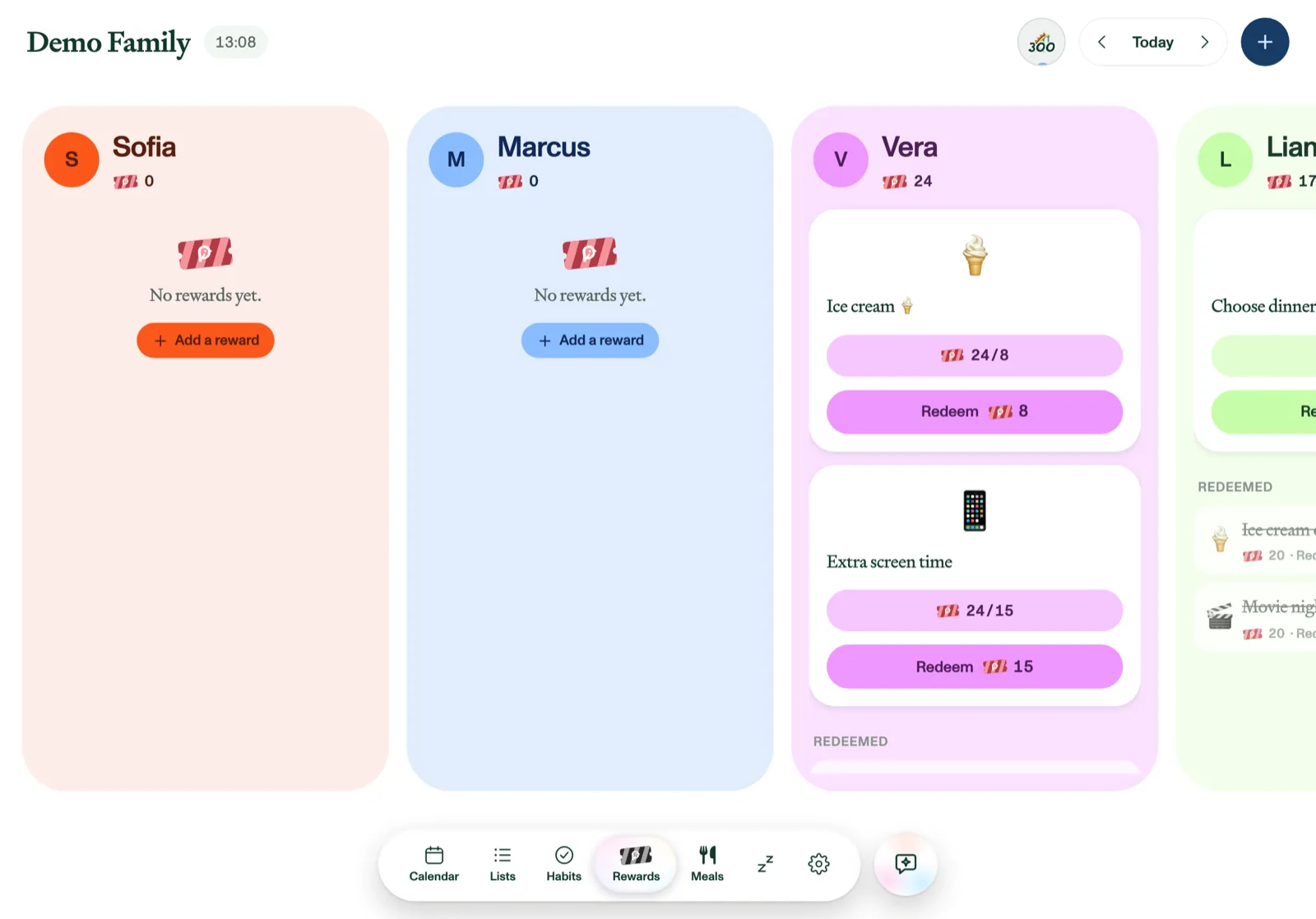
Tickets earned from habits turn into real-world treats on the Rewards tab. Each member has a column of reward cards with a progress bar toward what they're saving for. Rewards are part of Plannie Premium.
To see only some of the family, tap their avatars in the header to show or hide their columns, or on a phone use the menu button (☰) at the top left, which lists a checkbox for each family member. This selection is shared with Habits and separate from the Calendar's. It only changes which columns you see: adding a reward or setting up the family goal still lists everyone.
Tickets or stars
The first time an adult in your family opens Rewards or Habits with Plannie Premium running, Plannie asks which reward currency you want to earn: tickets or stars. On Plannie Free the upgrade screen comes first instead, and the question simply waits for your first visit with Premium. Children aren't asked, since the choice is for the whole household; until an adult picks, the app uses tickets. It's purely wording and artwork: everything works exactly the same either way, and the choice applies to rewards, habits, and the family goal for everyone in the household. Picked wrong, or skipped the question? An adult can change it any time under Settings → Habits & rewards → Reward currency. This article says "tickets" throughout, and the screenshots show a family that picked tickets.
Create rewards
Tap + → Add reward, give it a name, an emoji, and a ticket cost, and choose who it's for. Every reward has a Renew every schedule, picked from a dropdown: Once (gone once redeemed); Daily, Weekly, Every 2nd week, Monthly, Quarterly, Every 6 months or Yearly (comes back each cycle); or Always redeemable. Weekly and Every 2nd week let you choose which weekday(s) it renews on. Monthly and the longer intervals show a Starting date (prefilled with today), which is the first day it can be redeemed, after which it returns on that same date each period.
A reward with a schedule joins the board on its first renewal day rather than the moment you create it: a Weekly · Friday reward added on Tuesday turns up that Friday. Until then you'll find it under Settings → Habits & rewards, where every reward is listed, one-time ones too, each marked with how often it renews.
Rewards and family goals that guided setup suggested and you added carry a small sparkle, the Set up by Plannie mark. They work like any you make yourself.
Redeem
When a member's balance covers the cost, the Redeem button lights up in their color. Tap it for a little celebration, and the tickets are deducted. Redeemed rewards stay visible at the bottom of the column for about a month, and Unredeem refunds the tickets if it was a mistake.
Redeeming is never locked; kids can always spend their own tickets. Adding, editing, and deleting rewards can be protected with the parental lock.
The family goal
Create one shared goal for the whole family (+ → Create family goal): name it, set how many tickets it needs, choose who's in, and give it an emoji or photo. Habits marked "Counts toward family goal" feed a shared pool, separate from personal balances, so contributing never costs anyone their own tickets. A wave-fill orb in the header shows progress; when it fills, tap Claim and celebrate together.