Plannie for iPhone is free with every Premium feature until 15 November. Get the app →
PRESS KIT

Everything you need to write about Plannie.

This page is for journalists, bloggers and creators. It's a quick read to decide whether Plannie is worth your time, plus the screenshots, logos and facts you're free to use.

BOILERPLATE

Plannie in one minute

Three lengths of the same story. Take whichever one fits your piece. You don't need to ask.

One sentence

copy-ready

Plannie is the shared family calendar and household organiser that gets the whole family's week onto one page: calendar, chores and rewards, meals, lists and the family's paperwork, plus an assistant that files whatever you send it.

Short, about 60 words

copy-ready

Plannie is a shared family calendar and household organiser for the whole family. One colour-coded week syncs two ways with Google and Outlook, chores and habits earn tickets or stars, meals turn recipe links into a grocery list, and the Plannie Assistant files whatever you forward, snap or say. The family's papers live in Files. It runs in any browser and on iPhone and iPad, and keeps working offline.

Long, about 160 words

copy-ready

Plannie is the shared family calendar and household organiser that gets the whole family's week onto one page. The calendar is colour-coded per person, syncs both ways with Google Calendar and Outlook, and takes Apple and other ICS calendars as feeds. Chores, habits and rewards let kids tick off their routines, earn tickets or stars (each family picks the currency) and trade them for rewards their parents set. Meals turn a recipe link into dinner and its ingredients into the grocery list; lists hold photos, covers and headings like a document. Files keeps the permission slips, insurance letters and booking confirmations, in shared or private folders. Every household gets its own Family Inbox address, so a forwarded school letter, PDF or flyer becomes events, and the Plannie Assistant takes the rest by chat or Siri. There is an open REST API and MCP server for tinkerers. Plannie runs in any browser, in wall mode on a kitchen tablet, and as a native iPhone and iPad app with widgets and Apple Reminders sync. It keeps working offline, and Android is in the works. It speaks English, Swedish, German, Spanish and French. Free forever to start; Plannie Premium covers the whole household.

FAST FACTS

The short version

What it is
A shared family calendar and household organiser: one colour-coded week, chores and rewards, meal planning, lists, Files for the family's papers, a Family Inbox and the Plannie Assistant, for everyone in the household.
Platforms
Web and PWA in any browser, on a tablet, laptop or phone, including wall mode on a kitchen tablet. Native iPhone and iPad app on the App Store, with Home Screen and Lock Screen widgets, Siri and two-way Apple Reminders sync. Both work offline. Android is in the works.
Languages
Five: English, Swedish, German, Spanish and French.
Pricing
A Free plan that stays free. Plannie Premium is $2.49 a week or $99 a year. Premium + MCP is $4.99 a week or $159 a year. One subscription covers the whole household.
Right now
Plannie Premium is free for every family until 15 November 2026, on iPhone, iPad and the web.
Launched
On the web 23 July 2026, on the App Store 22 August 2026.
Privacy
No ads, and no third-party advertising or tracking SDKs in the app. Data is never sold. Service data is hosted in the EU, and Plannie is the data controller under the GDPR. The plain-language version is on Privacy at Plannie.
Best for
Families with school-age kids who juggle several calendars, clubs and a kitchen tablet.
Based in
Sweden, in the EU.
Website
plannie.io
Feedback & roadmap
feedback.plannie.io
WHY WE BUILT IT

The invisible work of running a family

A family week holds a lot: work, school updates, practice schedules, meal plans, homework, birthday parties. The little things pile up into the invisible work of keeping a family running, and parents are still expected to stay present through all of it.
We built Plannie to help every family member succeed in everyday life.

Plannie is built to carry some of that load instead of adding to it. Parents get help staying present, kids get help being ready for the day, and the week feels calmer.

FEATURES

Features, with pictures

Every screenshot on this page is free to use. Follow the link under one for the full-resolution original, or take the whole set from the .zip at the top.

CALENDAR

One week, the whole family

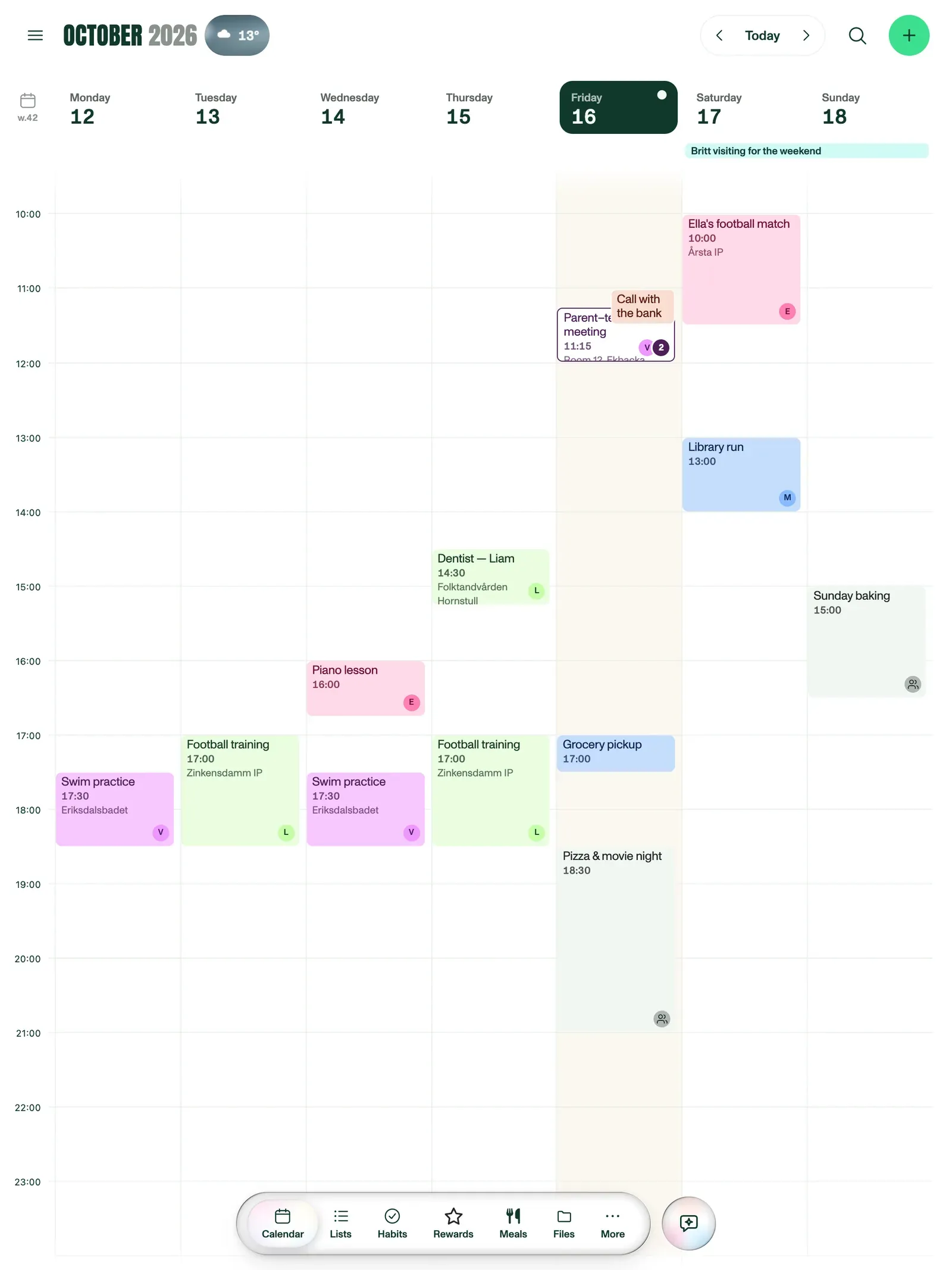
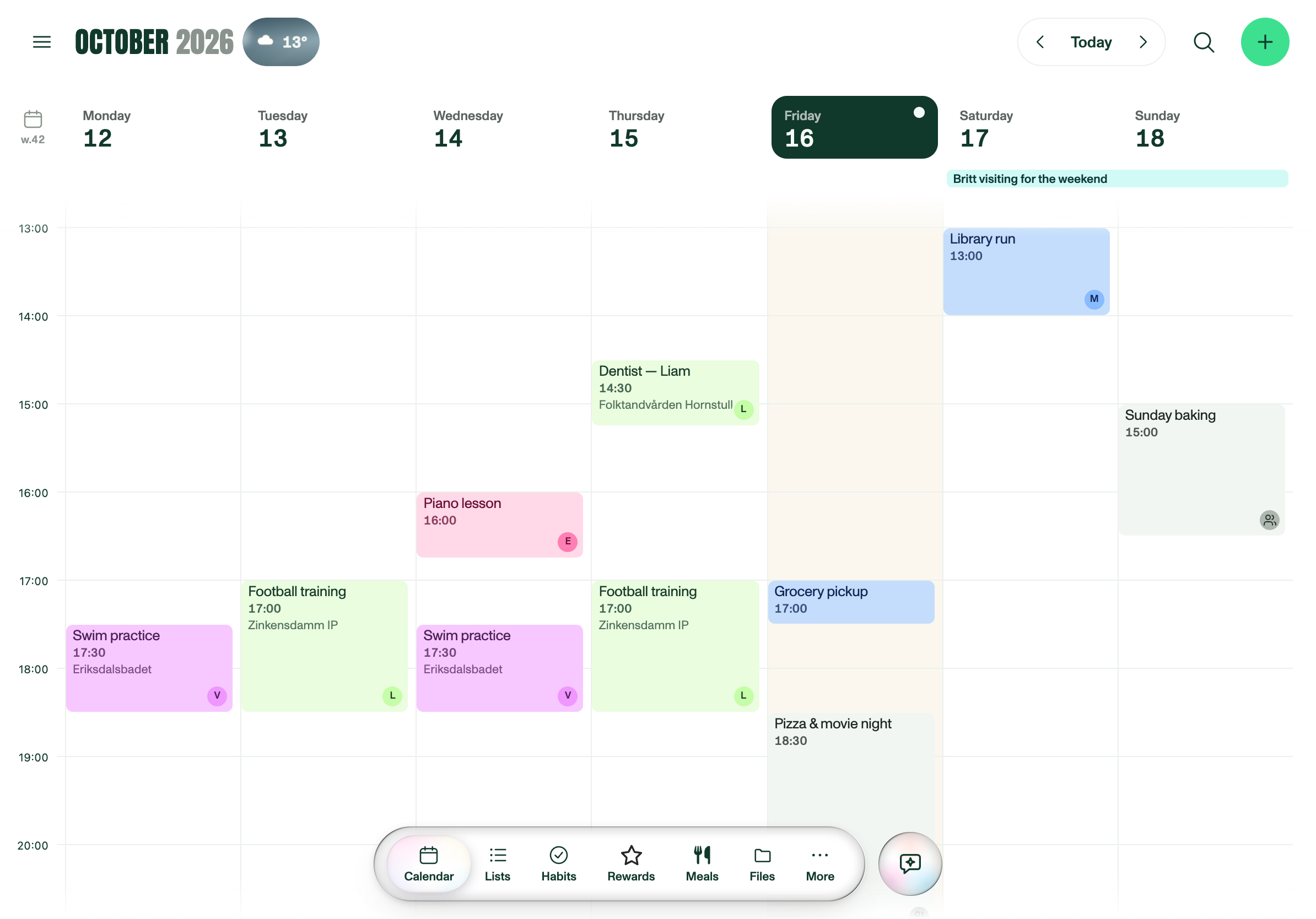
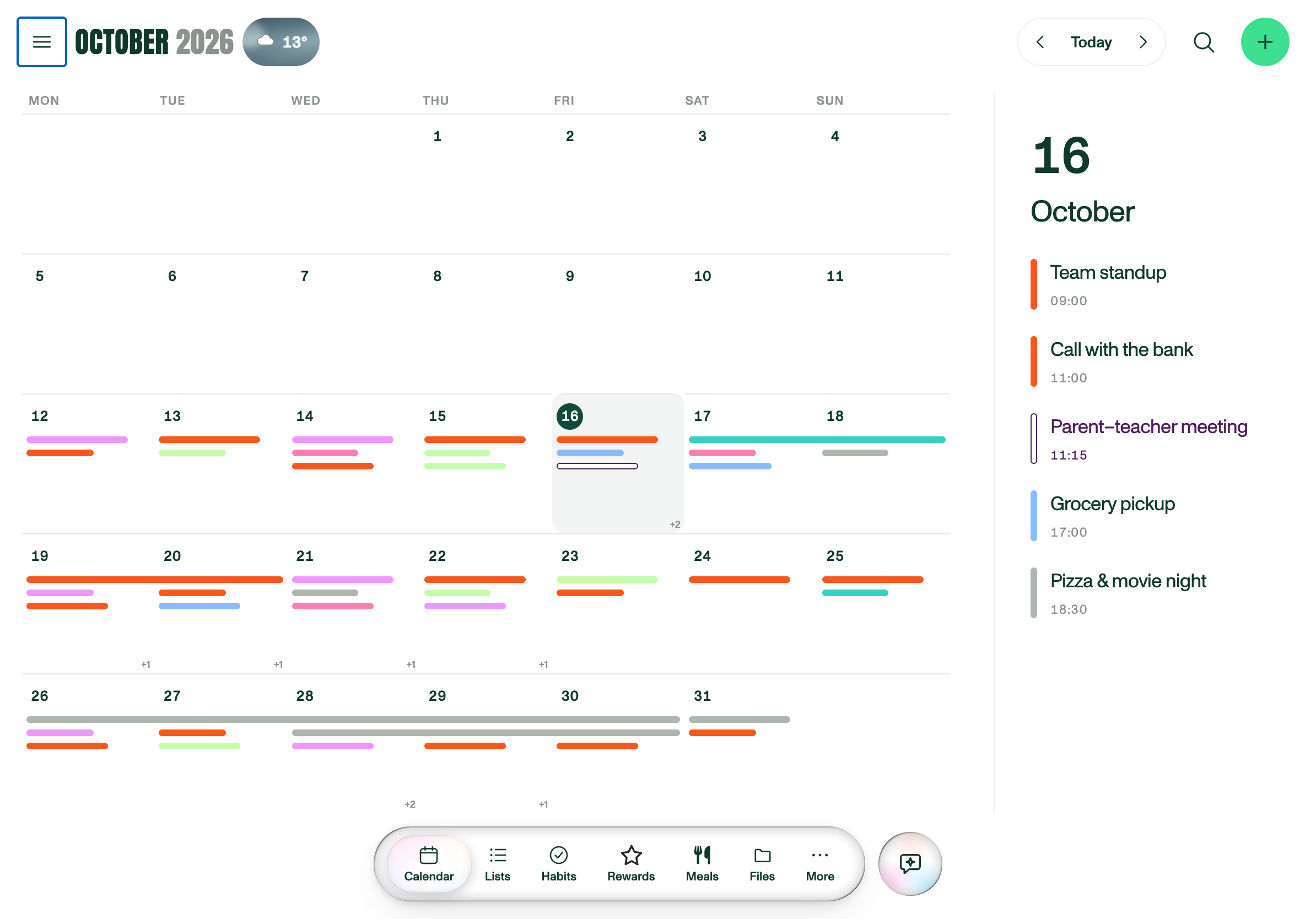
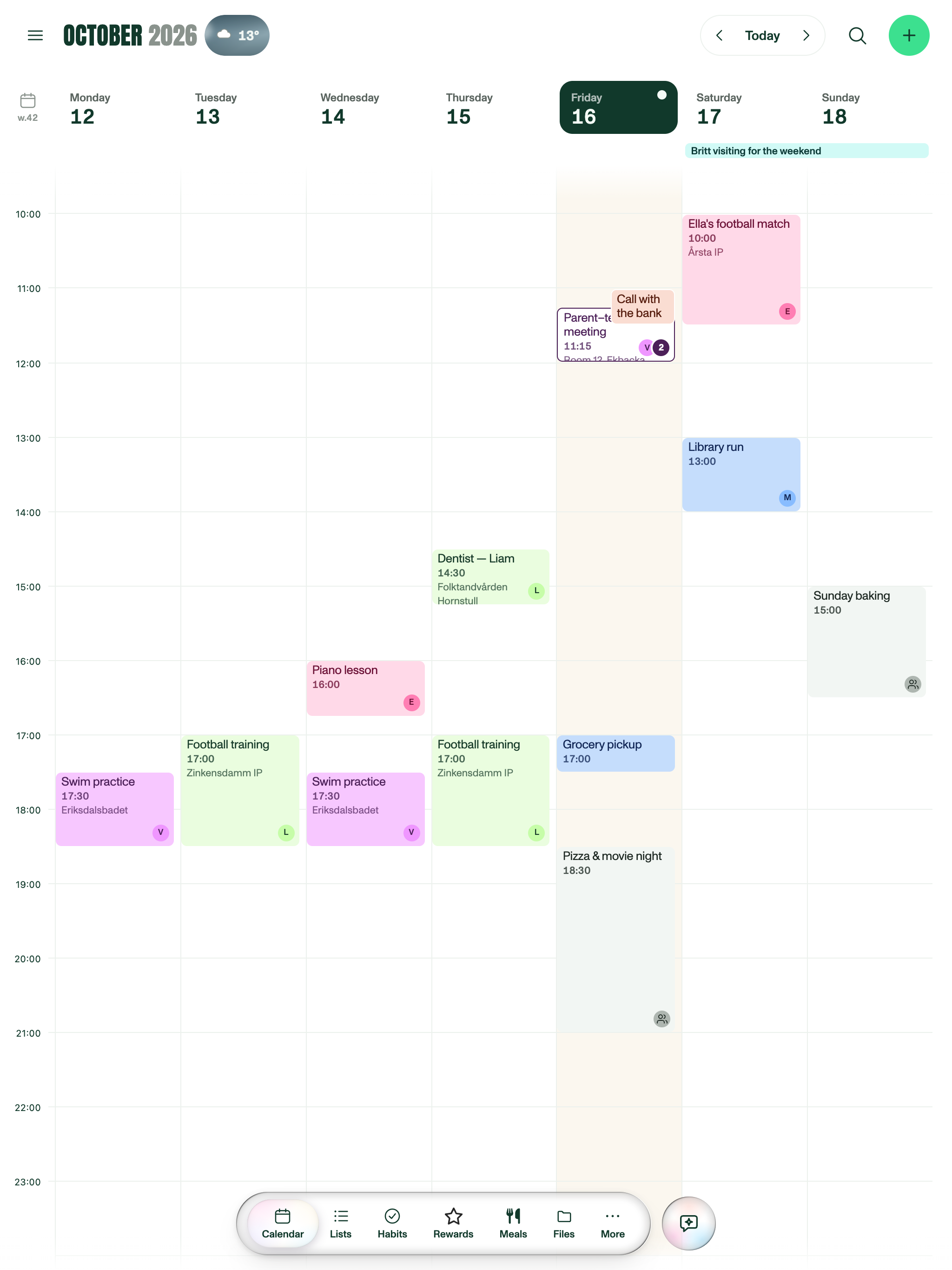
Everyone has their own colour, so a glance tells you whose afternoon is full. Overlapping events cascade, indented, instead of being squeezed into skinny columns, and you can switch between day, four days, week and month. Google Calendar and Outlook sync both ways; Apple and other ICS calendars come in as feeds. A work calendar can stay private: the rest of the family sees those hours as Busy, and you still see the details.

Plannie's week view on a portrait tablet, with colour-coded events for each family member from morning to evening across seven days.
Week view on a portrait tablet, one colour per family member. Download PNG
INVITATIONS

Answer invitations without leaving Plannie

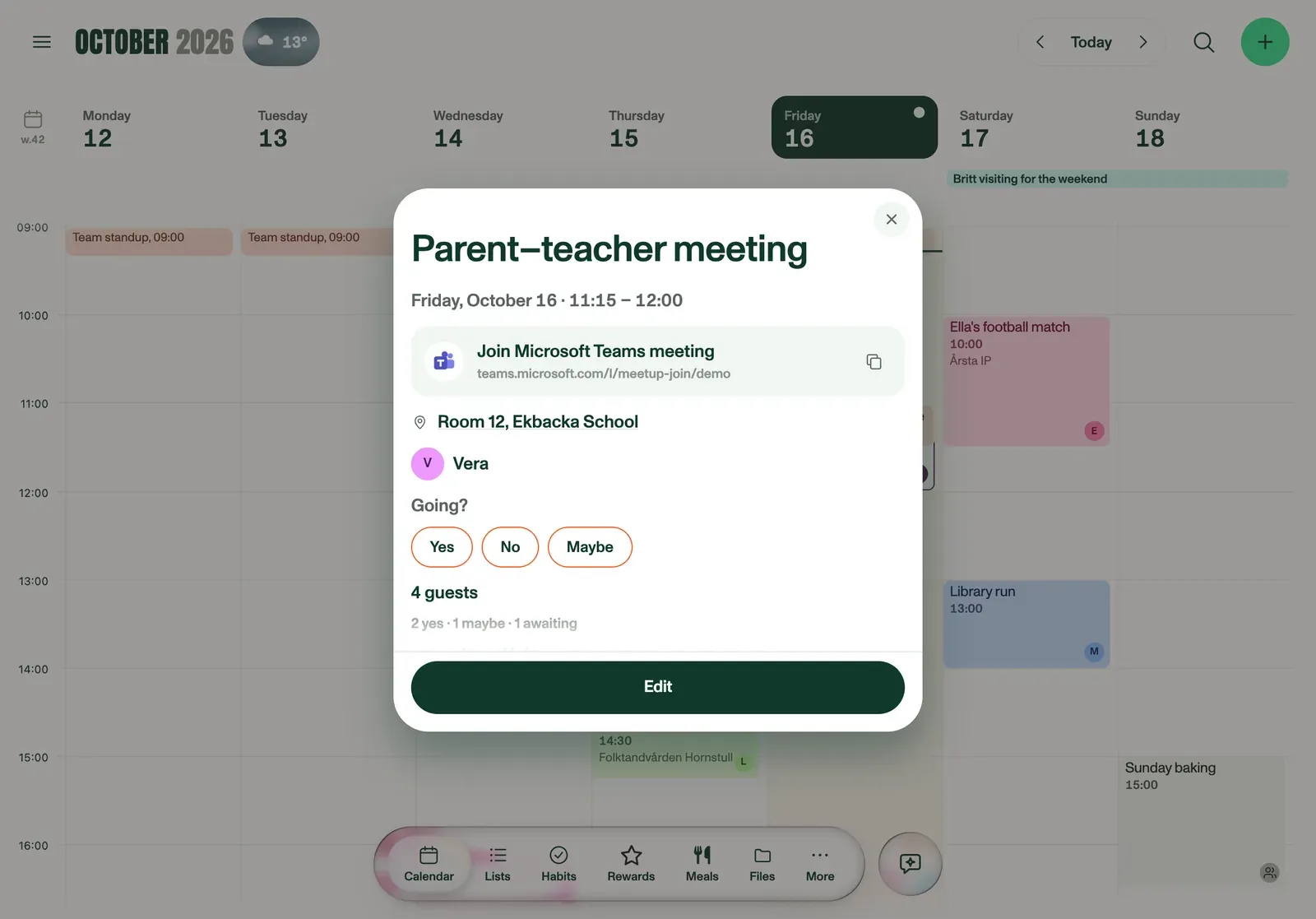
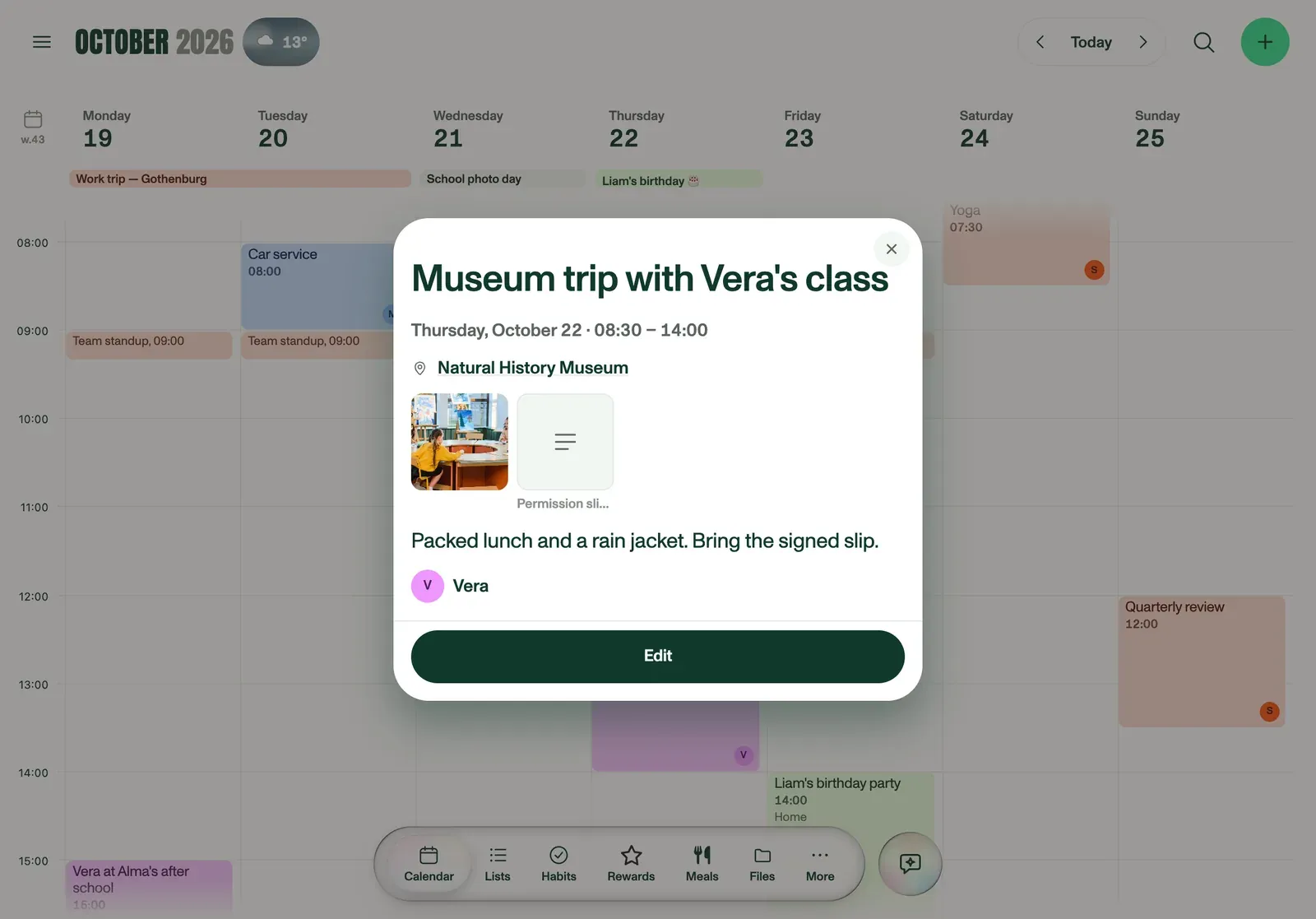
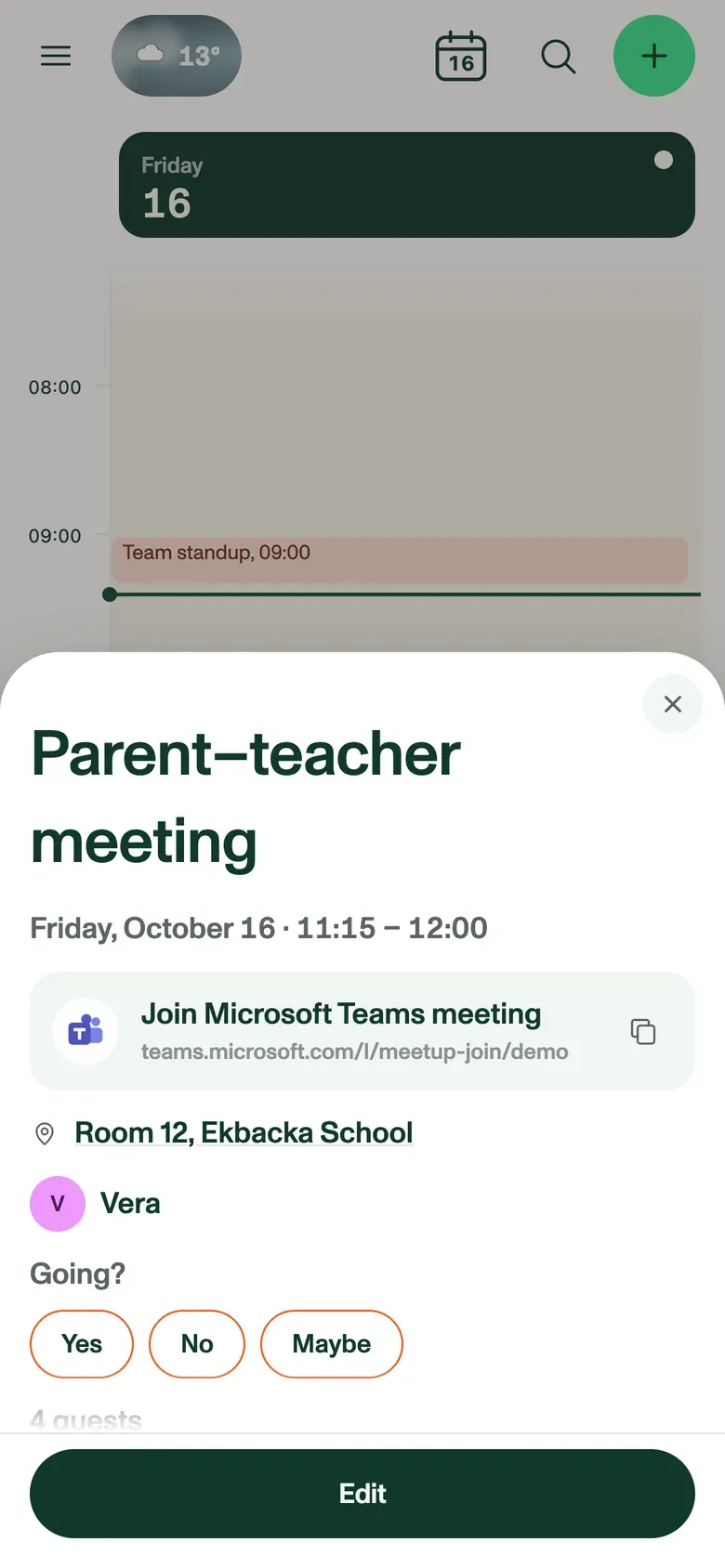
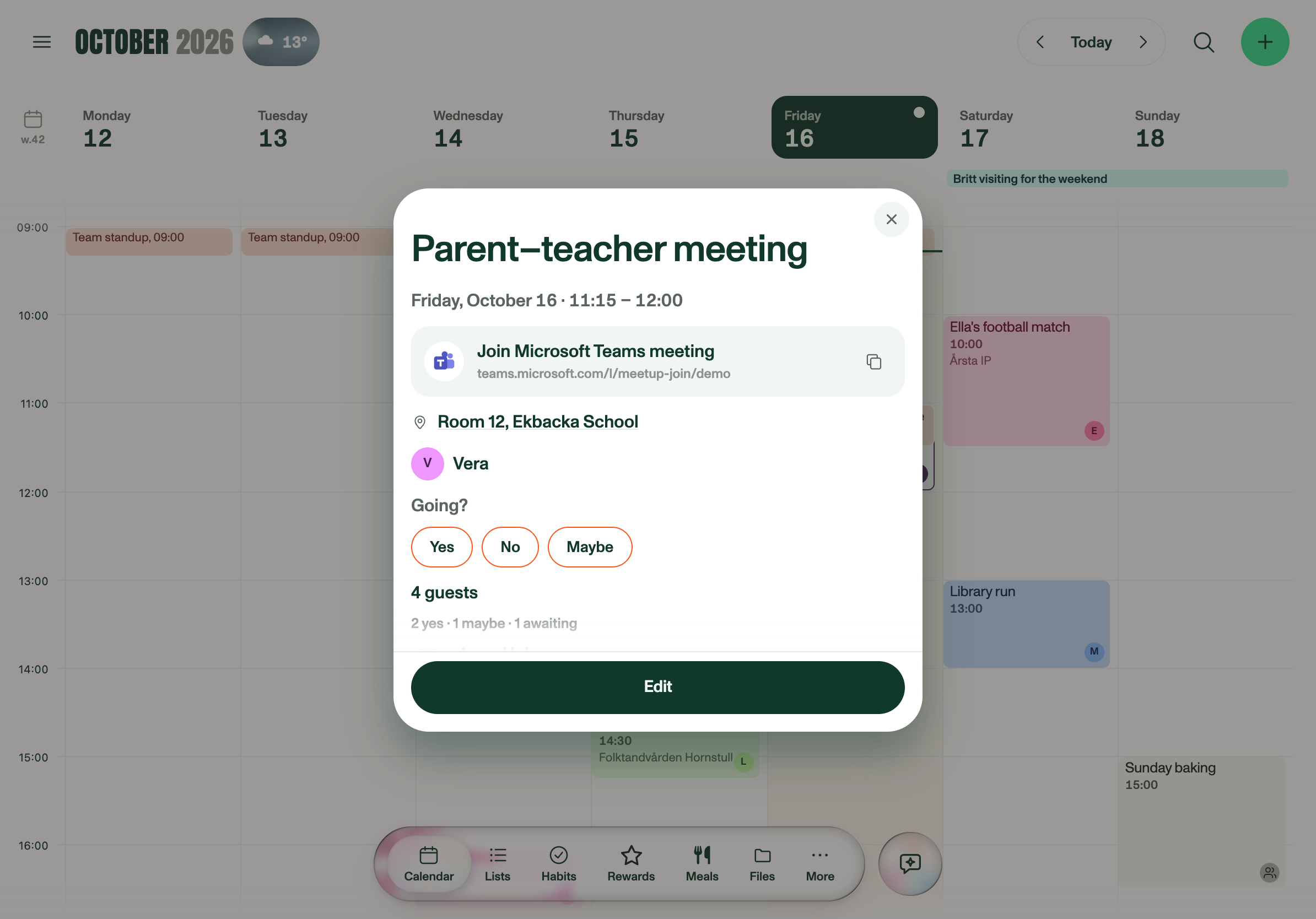
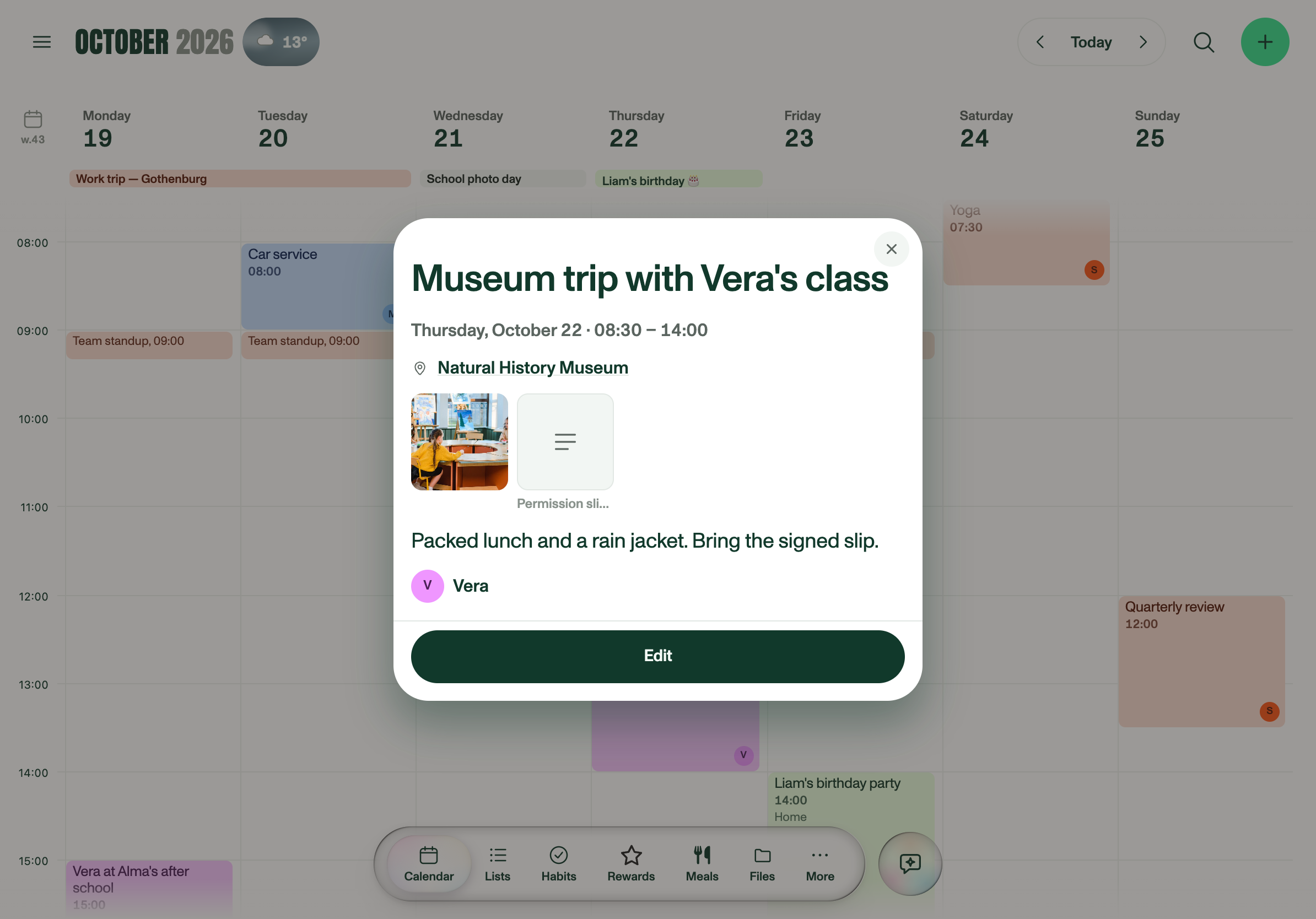
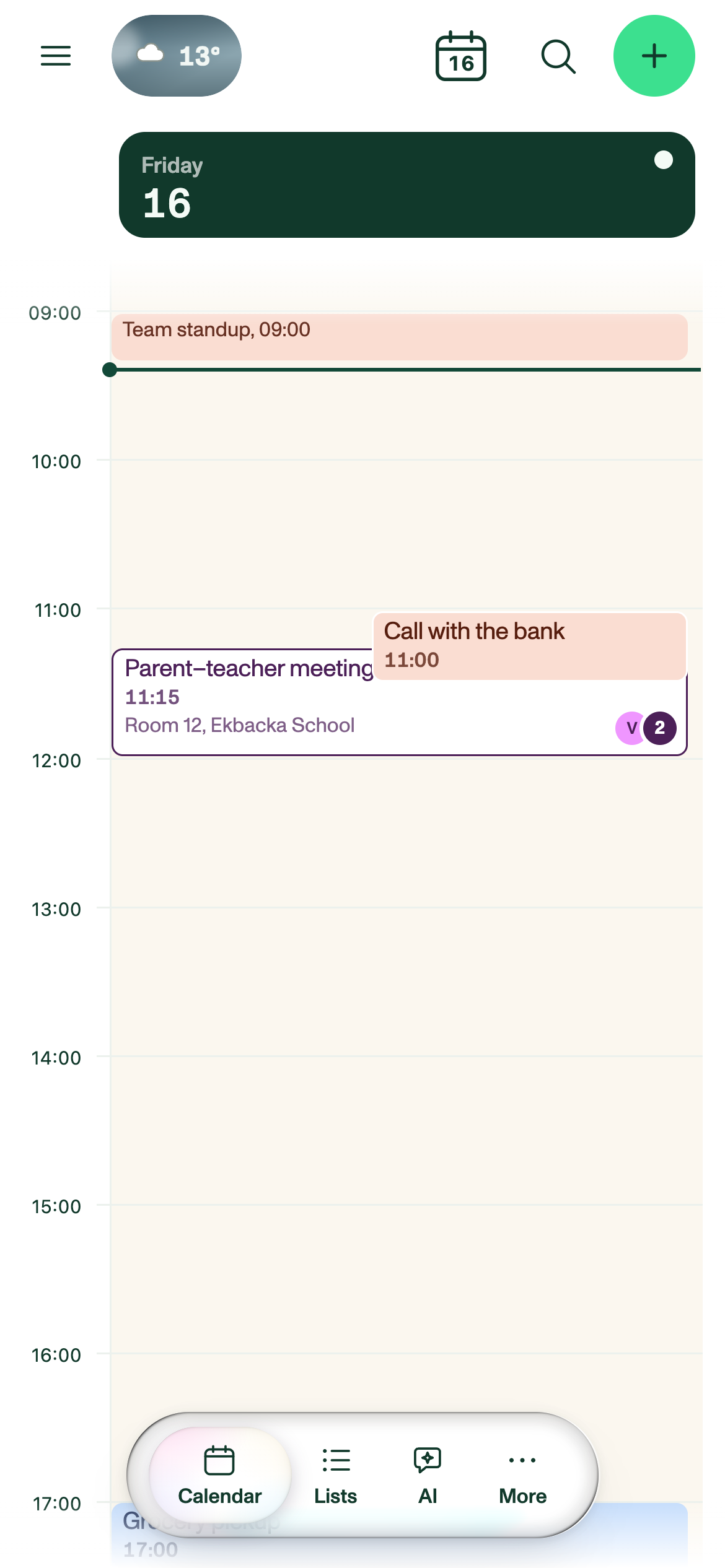
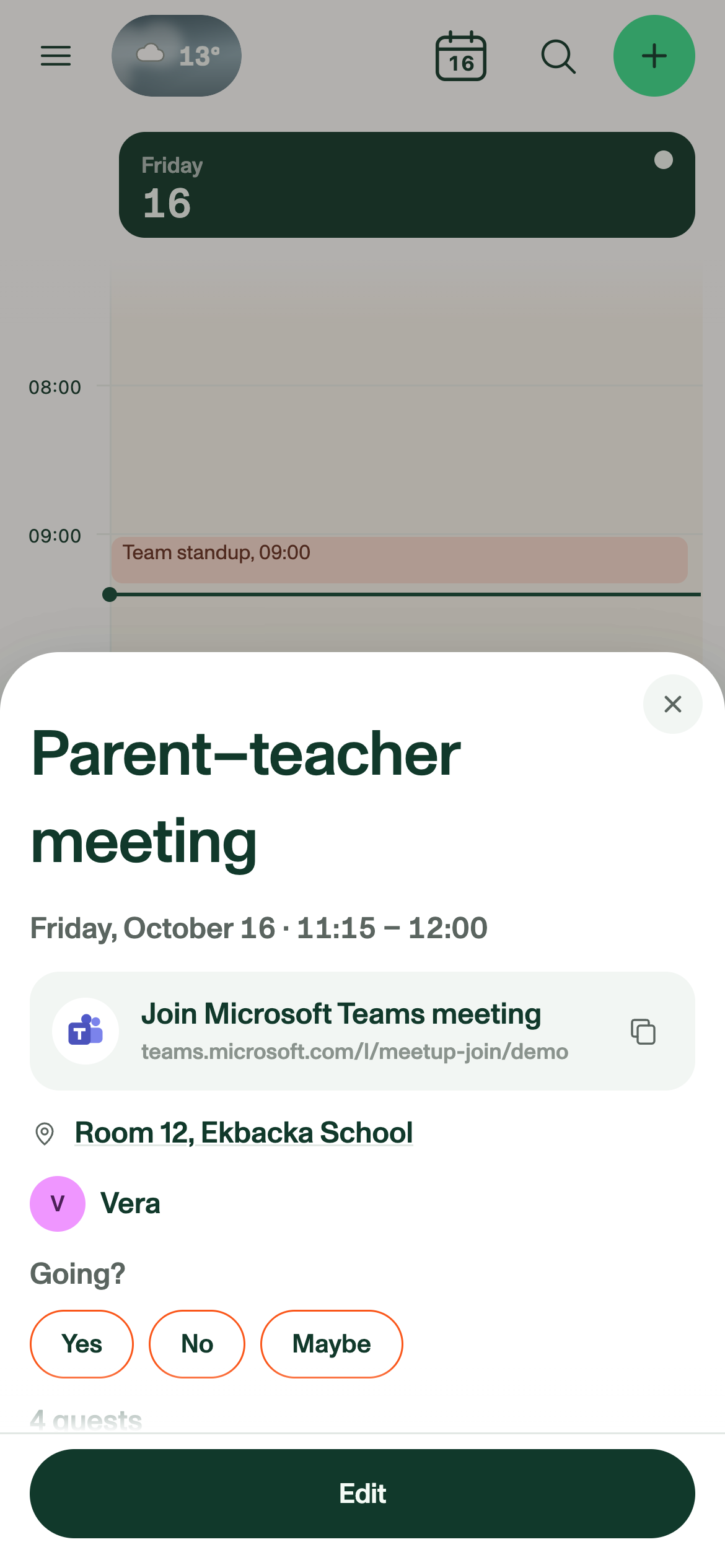
An event carries its guest list, so you can see who was invited and who has already said yes. On synced Google events you answer Yes, No or Maybe straight from Plannie, and a Teams or Google Meet call gets a Join button. Attachments ride along too, so the permission slip stays on the event where the family will look for it.

An event panel for a parent-teacher meeting in Plannie, showing the time, a Join Microsoft Teams meeting button, the room, the guest count and Yes, No and Maybe buttons.
A parent-teacher meeting, with its RSVP, guests and a Teams link. Download PNG
A museum trip event in Plannie with two files attached: a class photo and a permission slip.
Files attached to a museum trip. Download PNG
LISTS

Lists that feel like a document

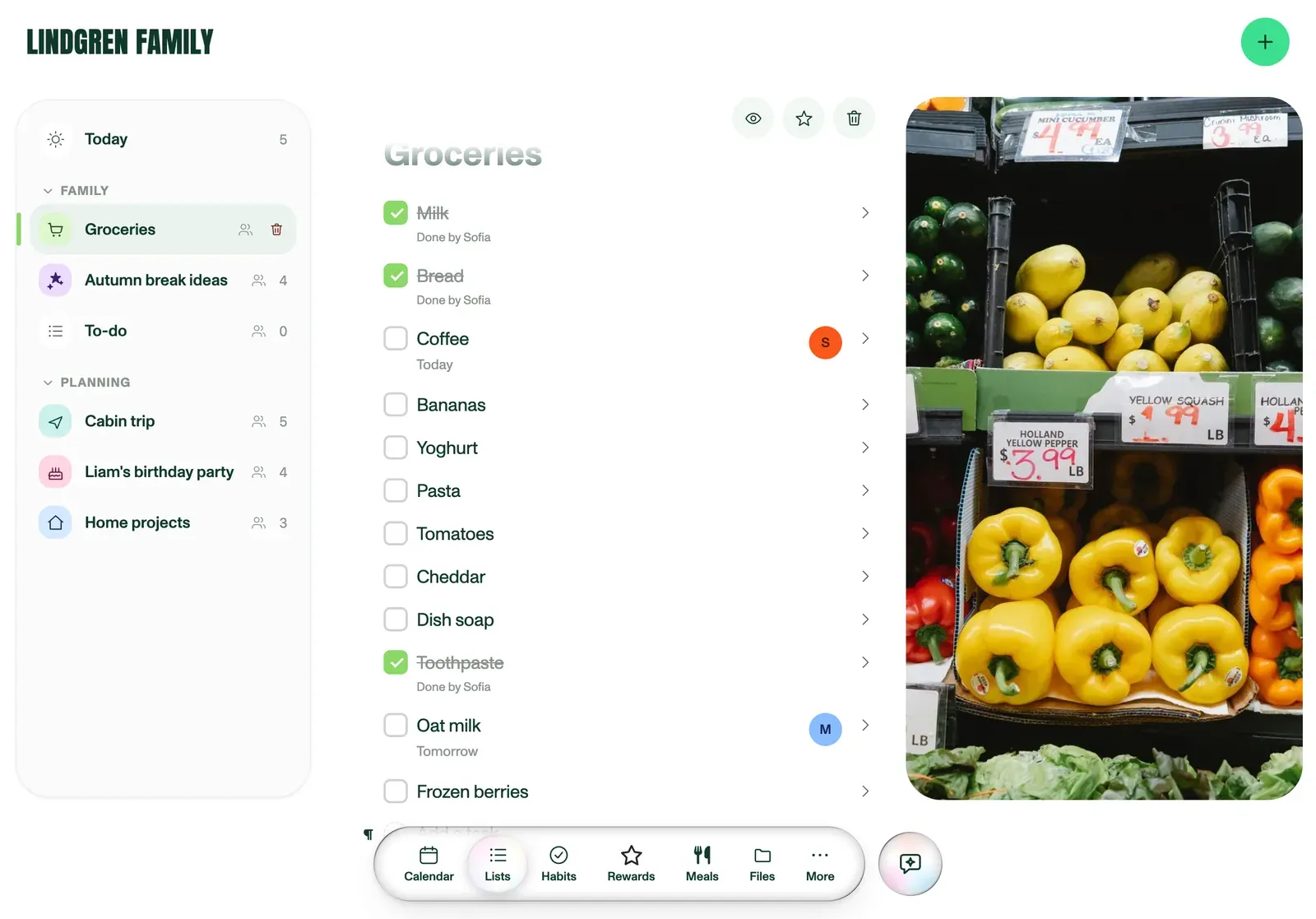
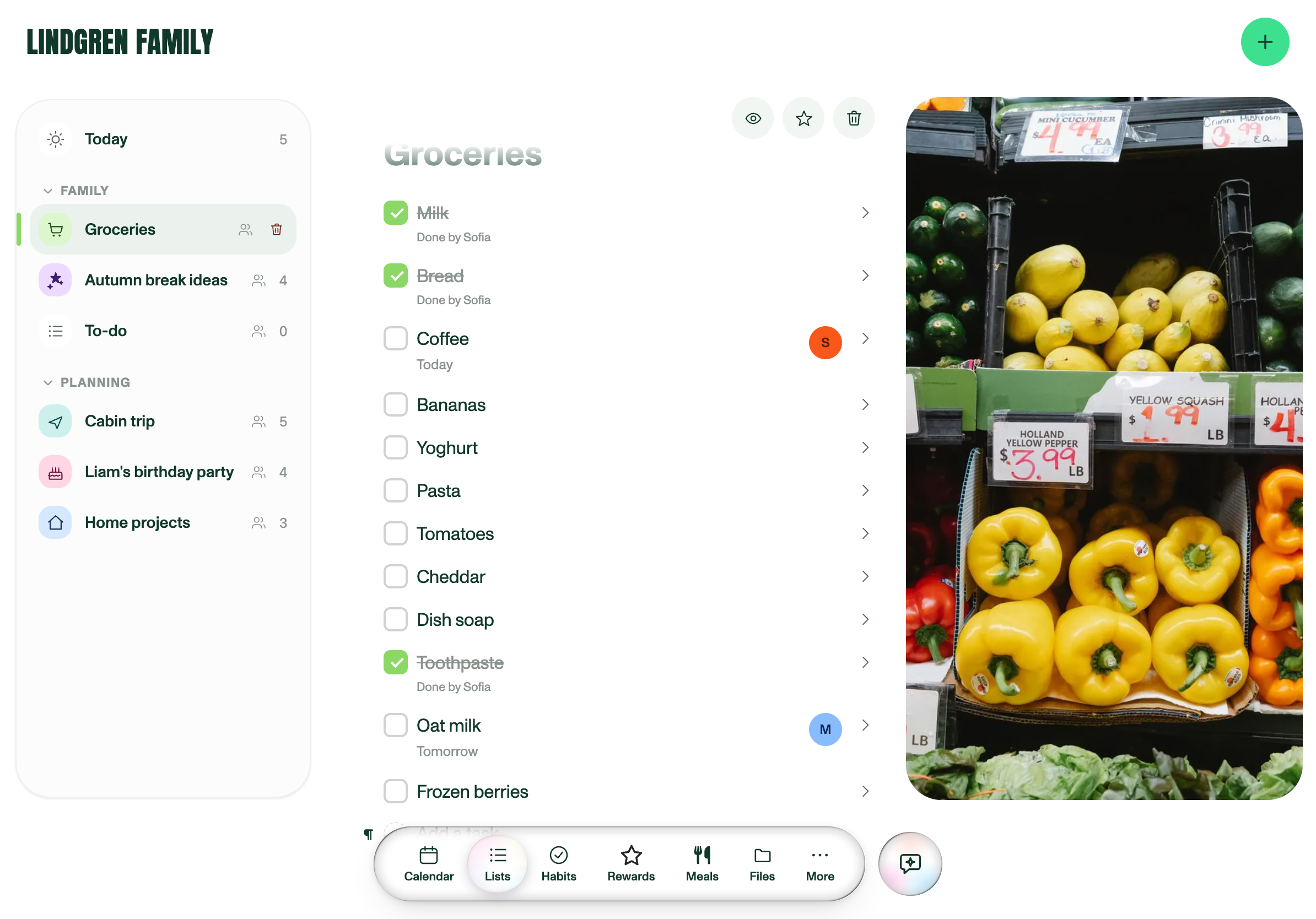
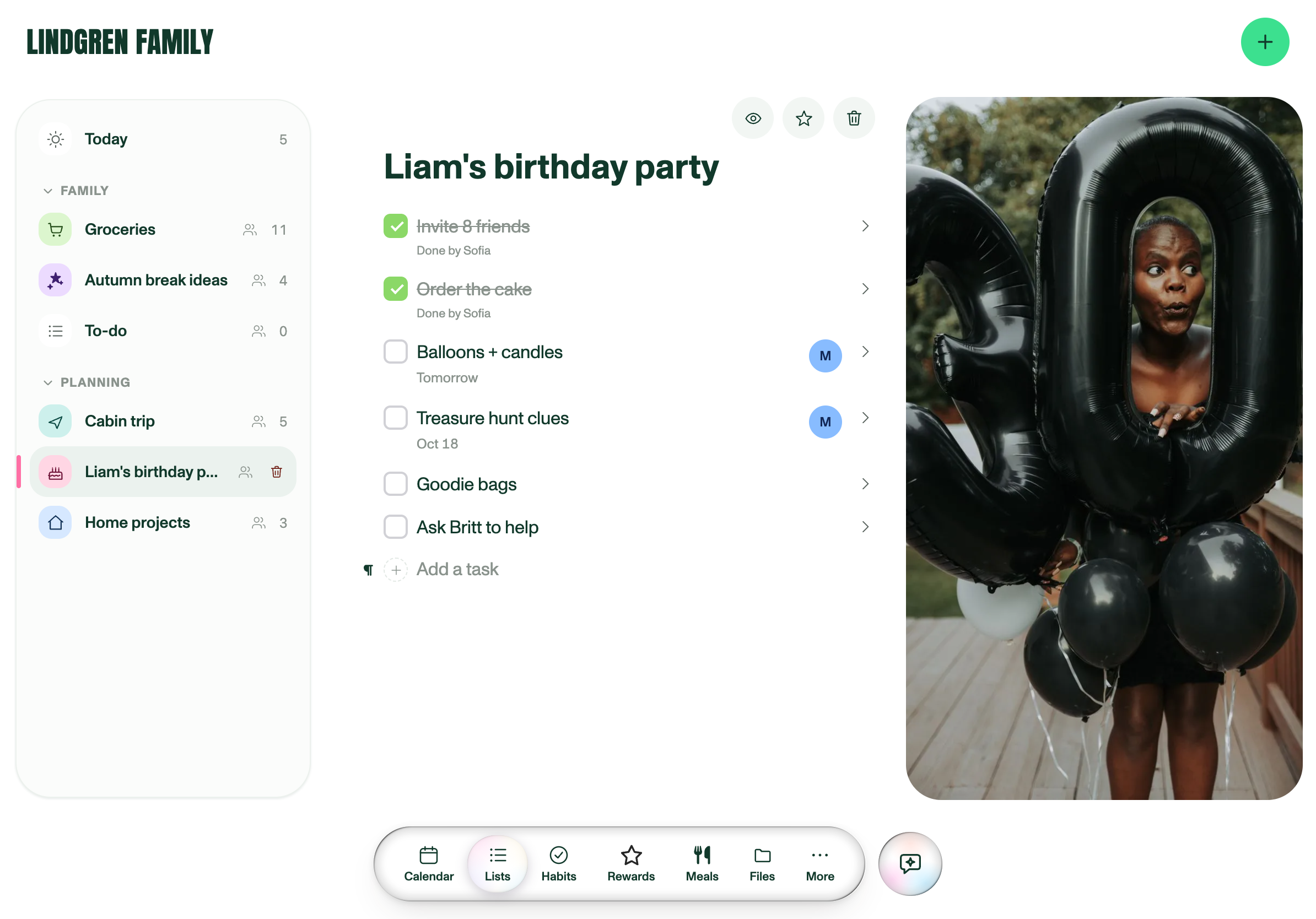
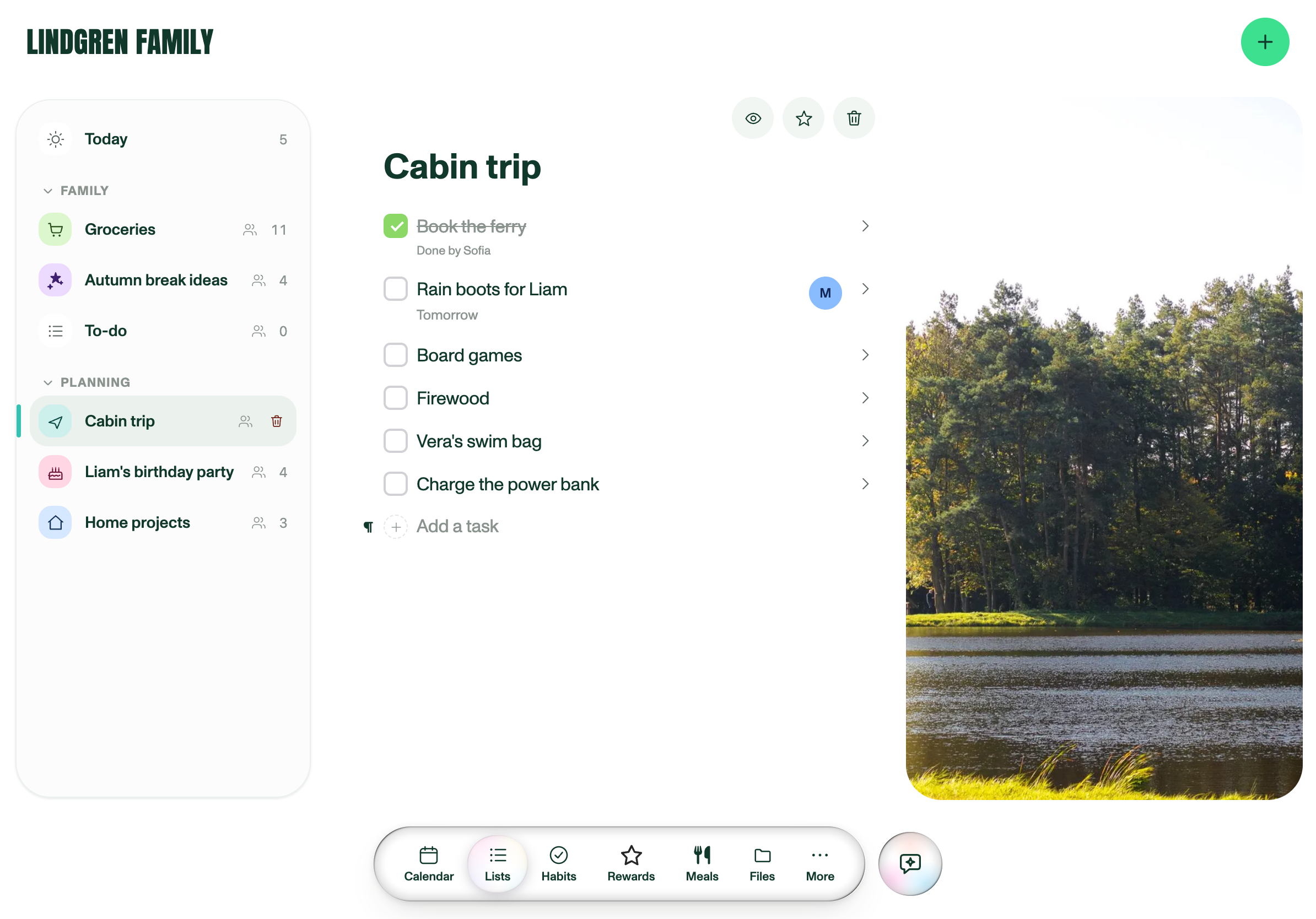
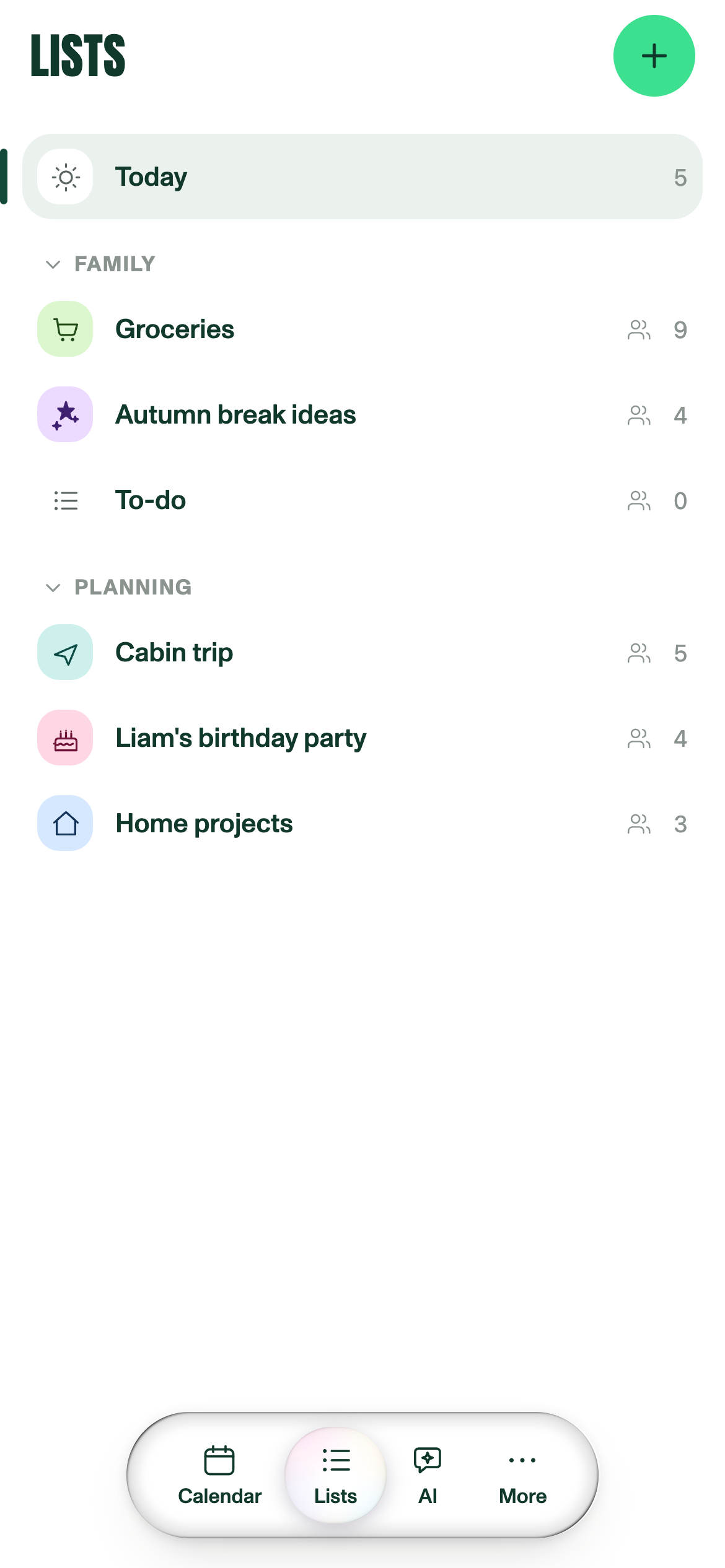
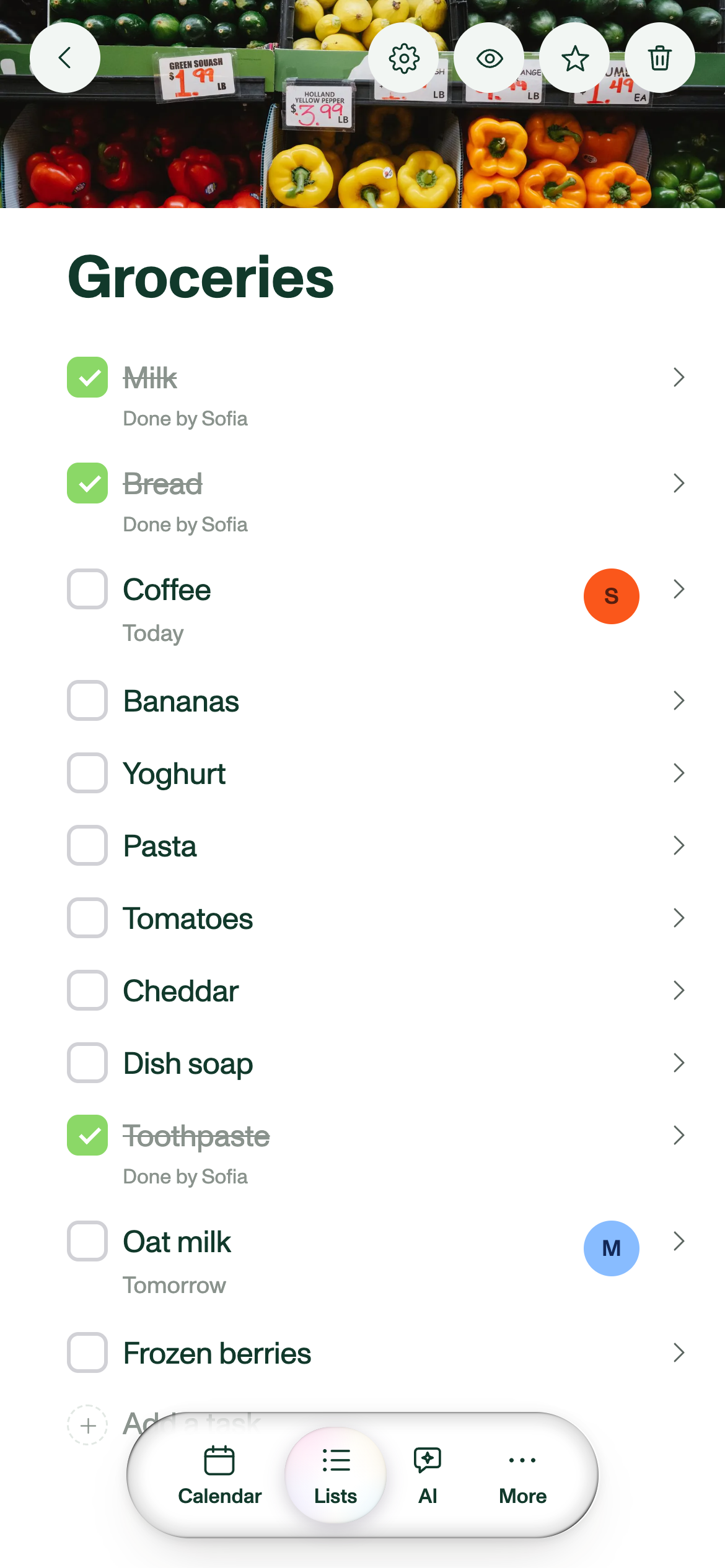
Type anywhere in a list, the way you would in a notes app. Drop photos in between the rows, give the list a cover, break it into headings, and select and copy across several rows at once.

A shared grocery list in Plannie, split into headed sections, with two food photos beside the items.
The family grocery list, sections and photos included. Download PNG
FILES

A place for the family's paper pile

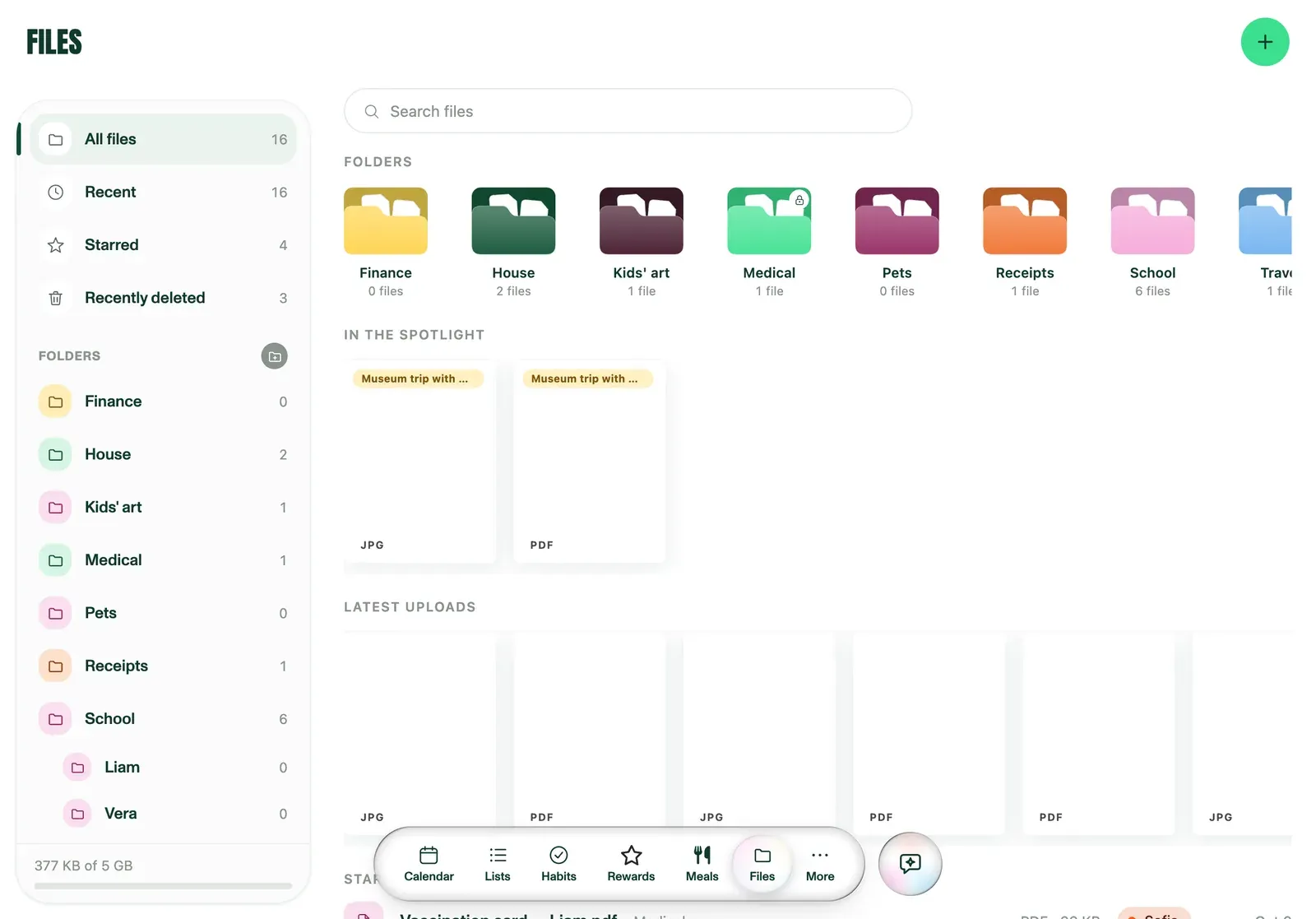
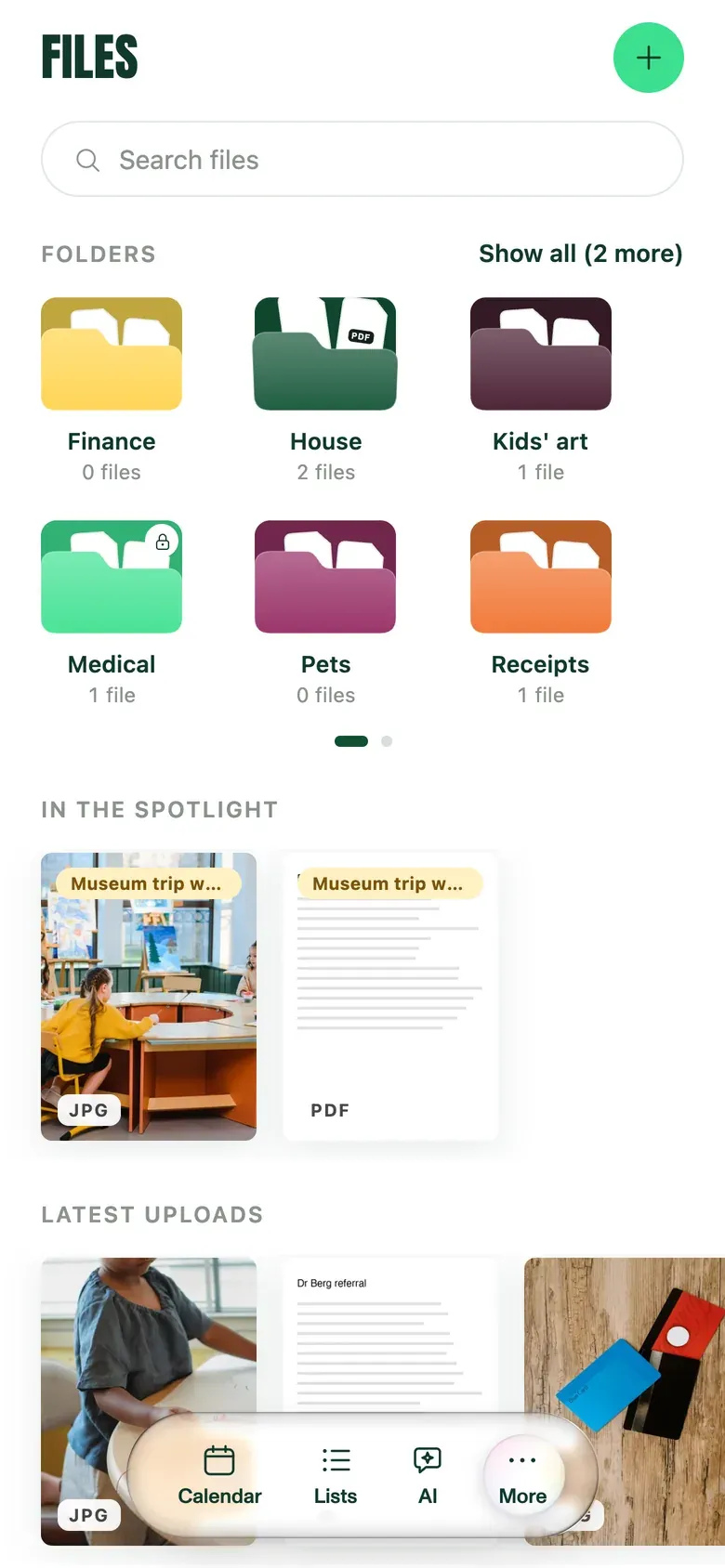
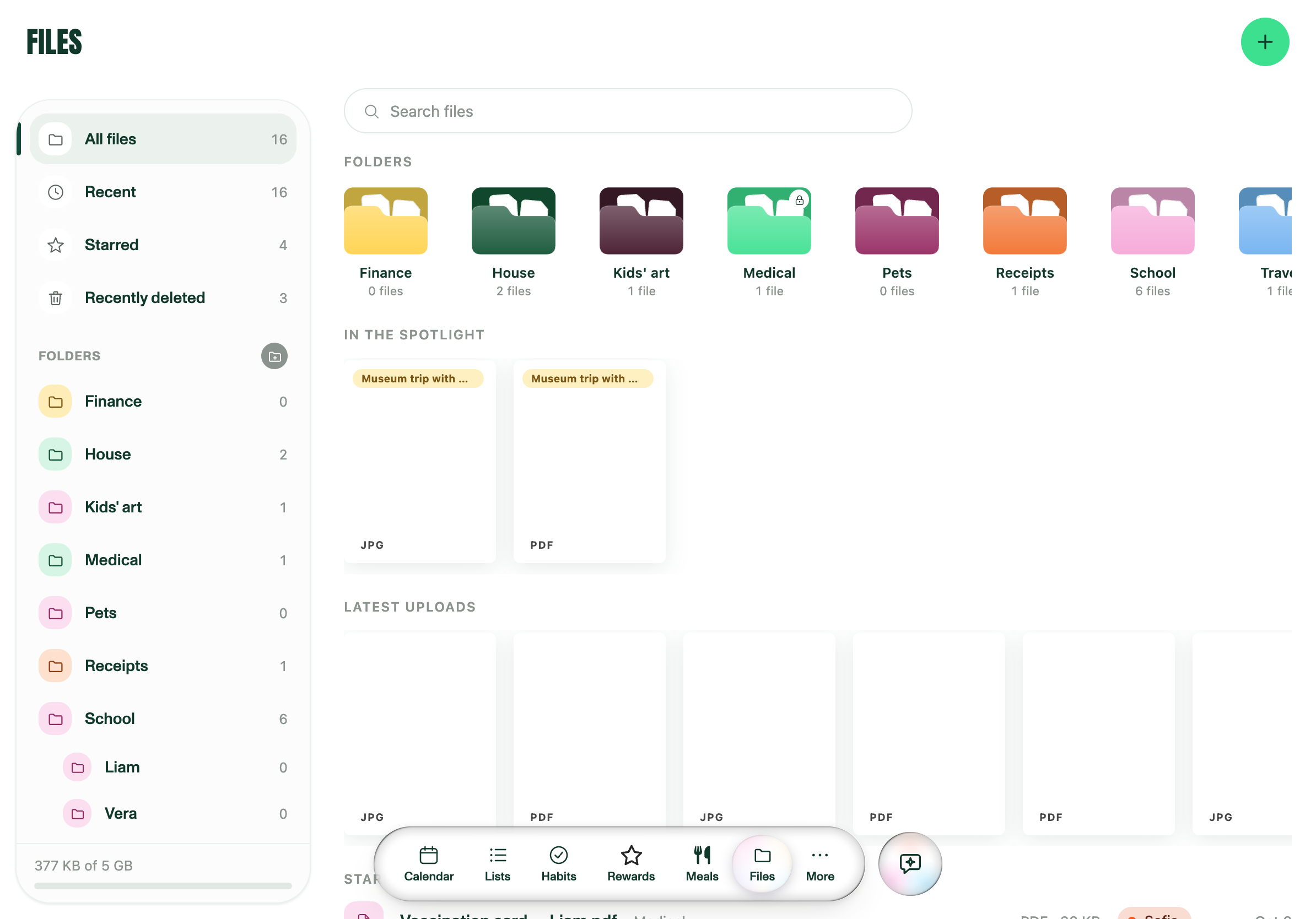
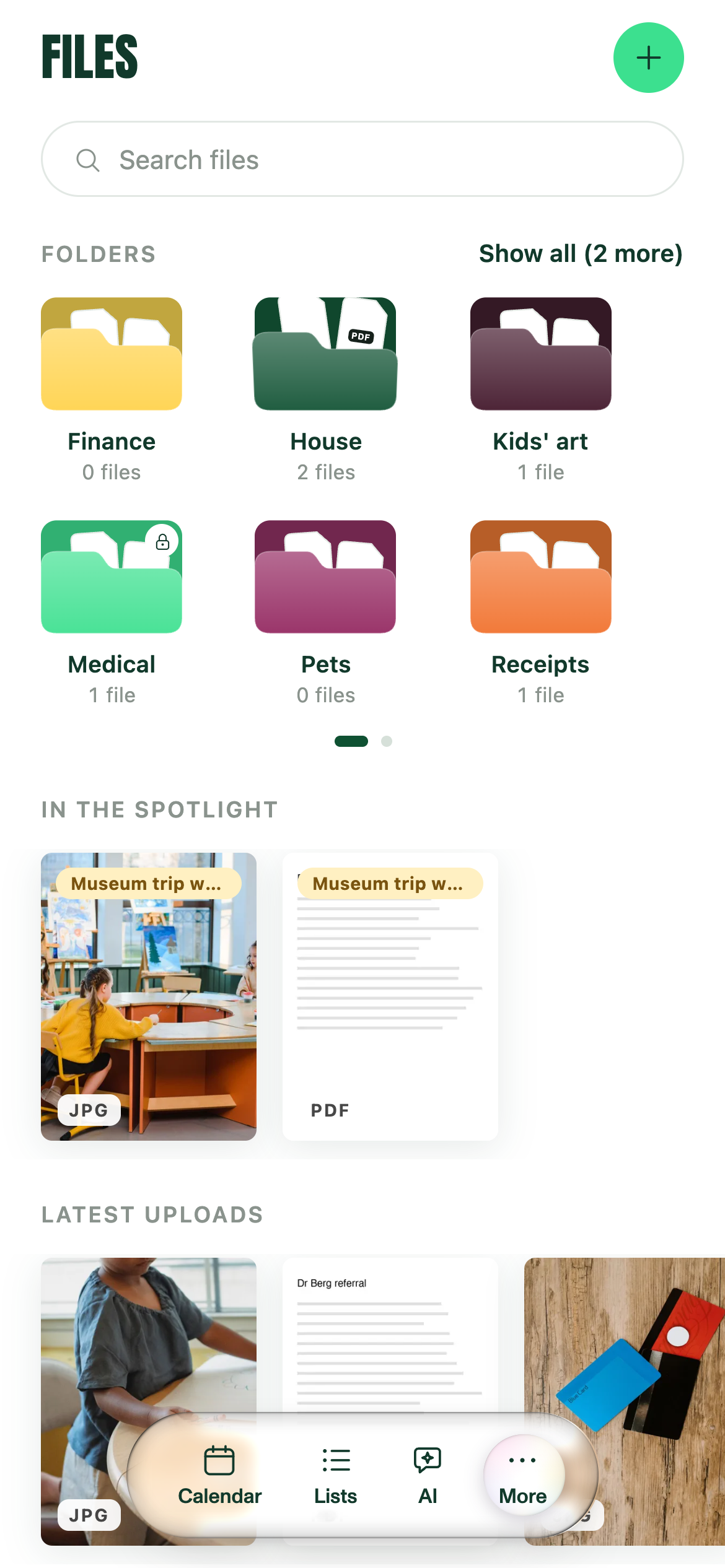
Files holds the permission slips, the insurance letter and the cabin booking, in folders the whole family shares or in private ones nobody else can open. Scan a paper with the phone camera or share a PDF from any app, and attachments from the calendar and the Assistant land here too. On Premium, Plannie reads the documents, so a search for "museum" finds the permission slip, and the papers you need this week come up first.

Plannie's Files view on a tablet, with colour-coded family folders, two museum trip documents in the spotlight and the latest uploads below.
Family folders, with this week's papers in the spotlight. Download PNG
HABITS & REWARDS

Check. Check. Reward.

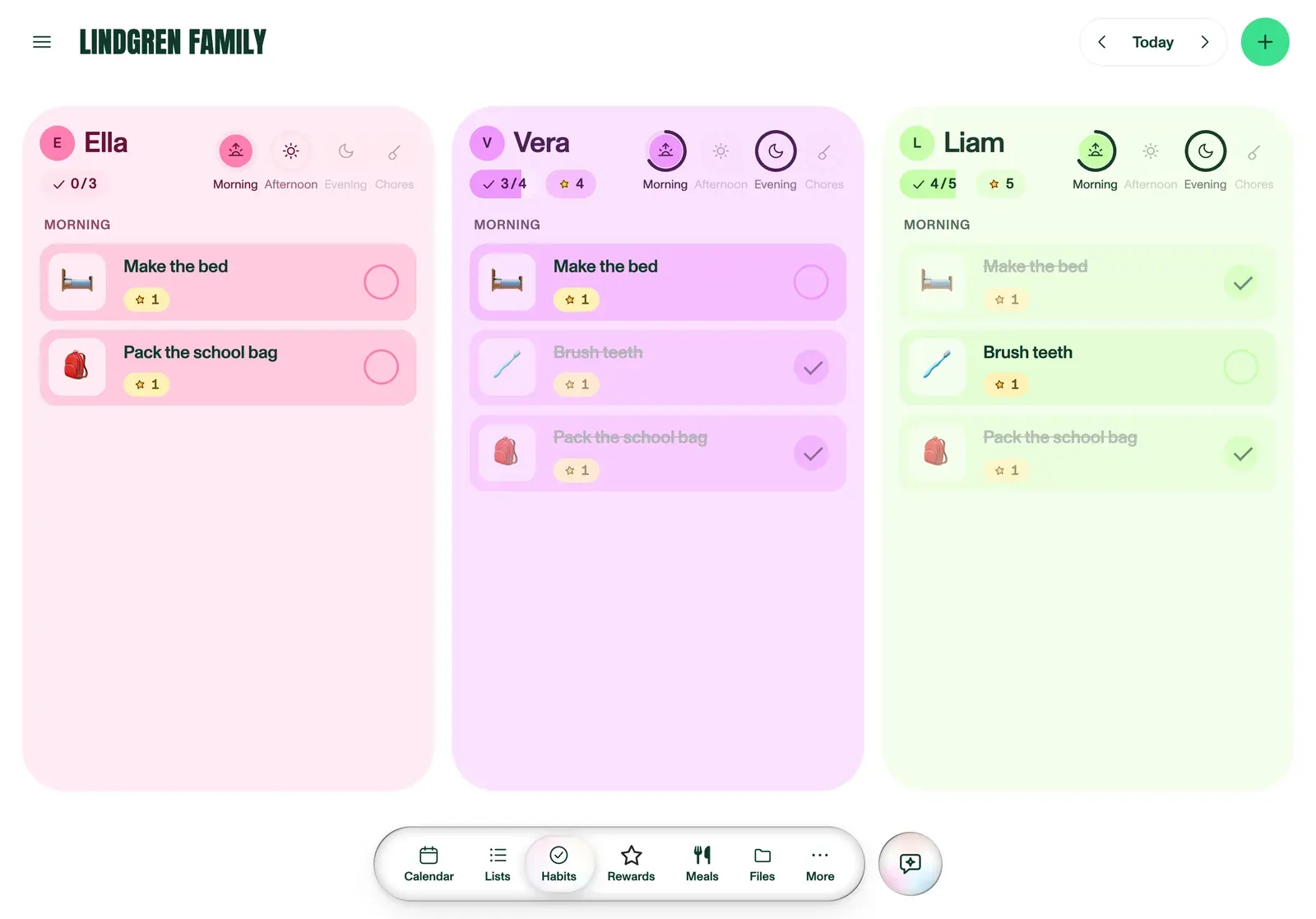
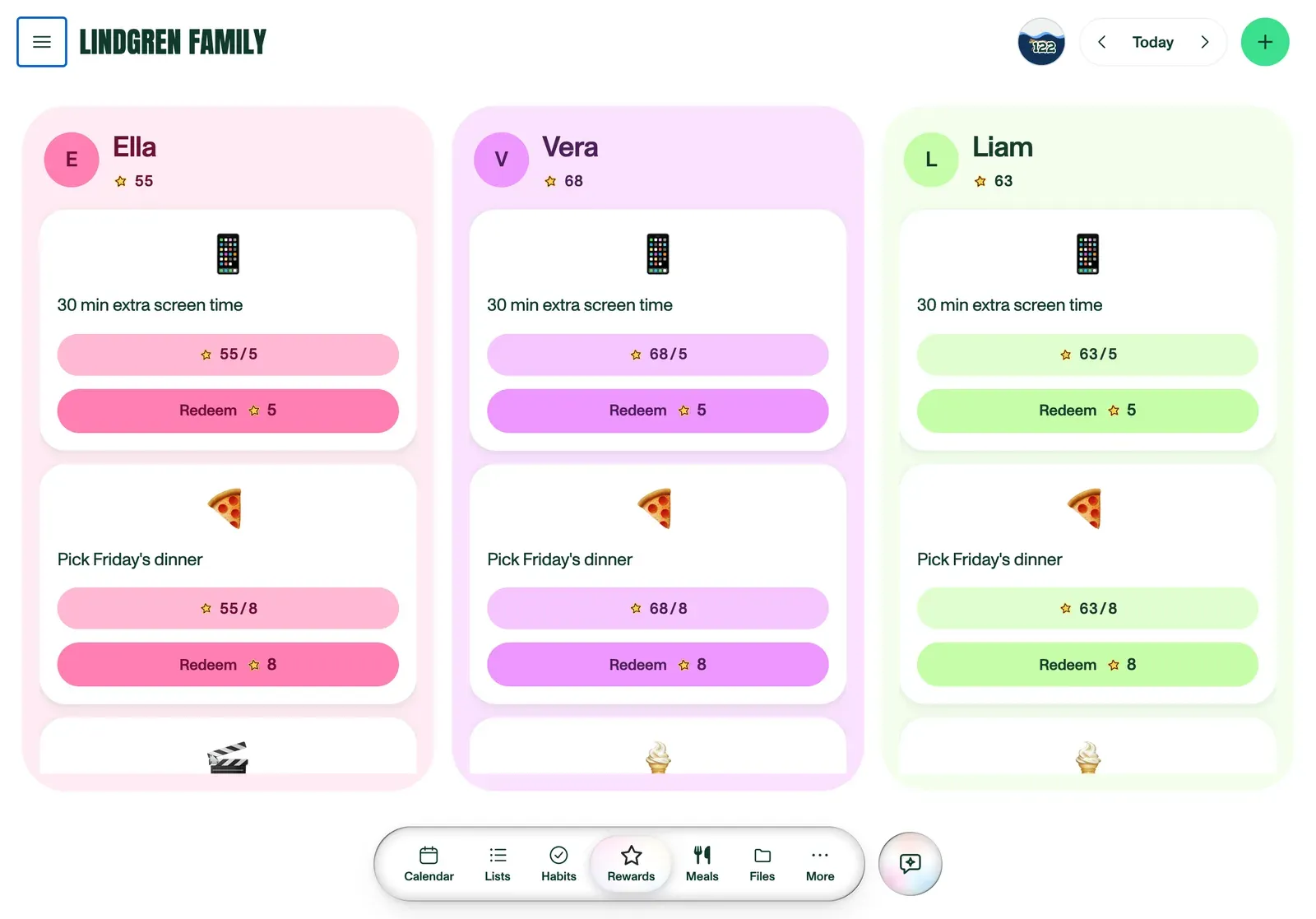
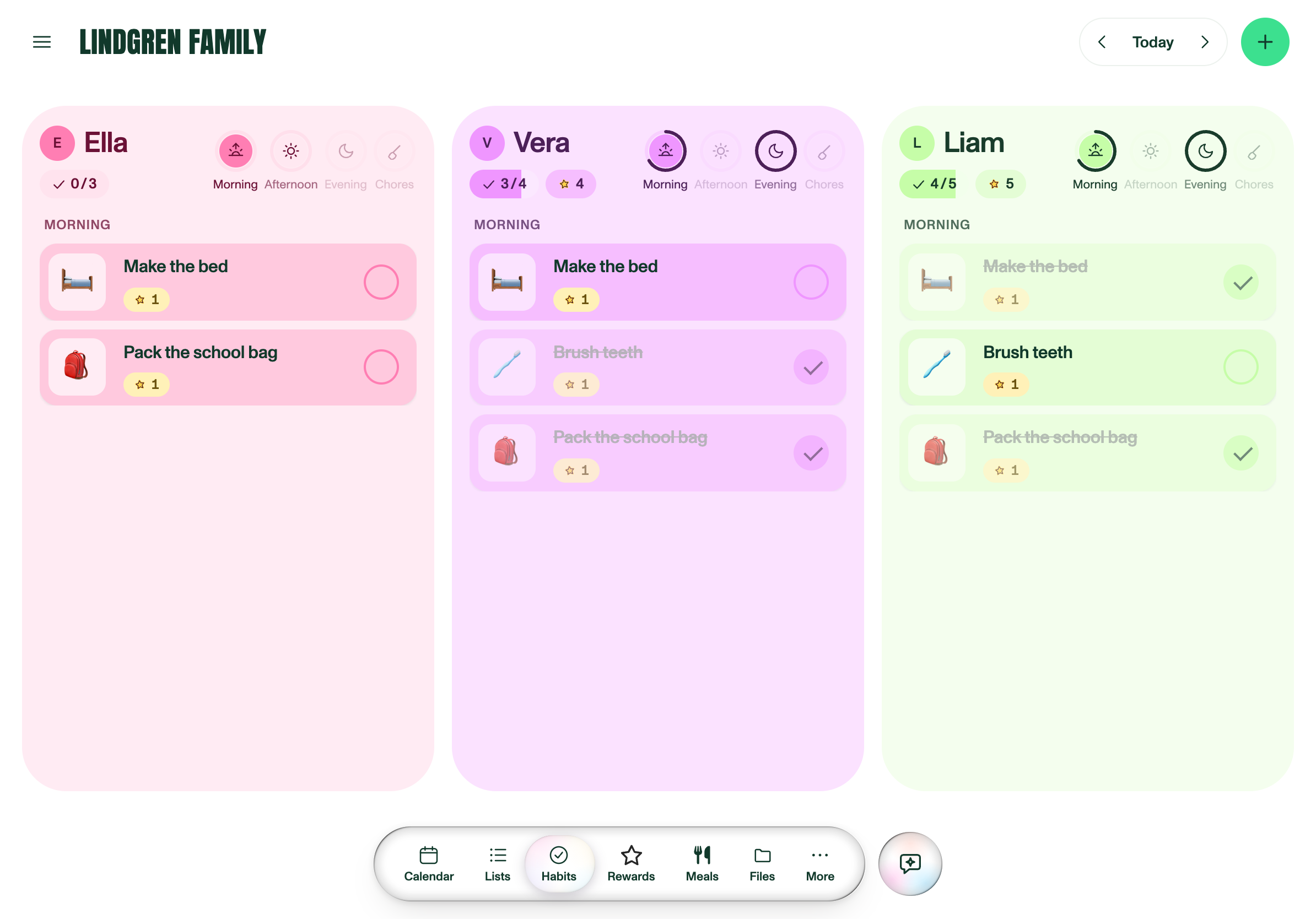
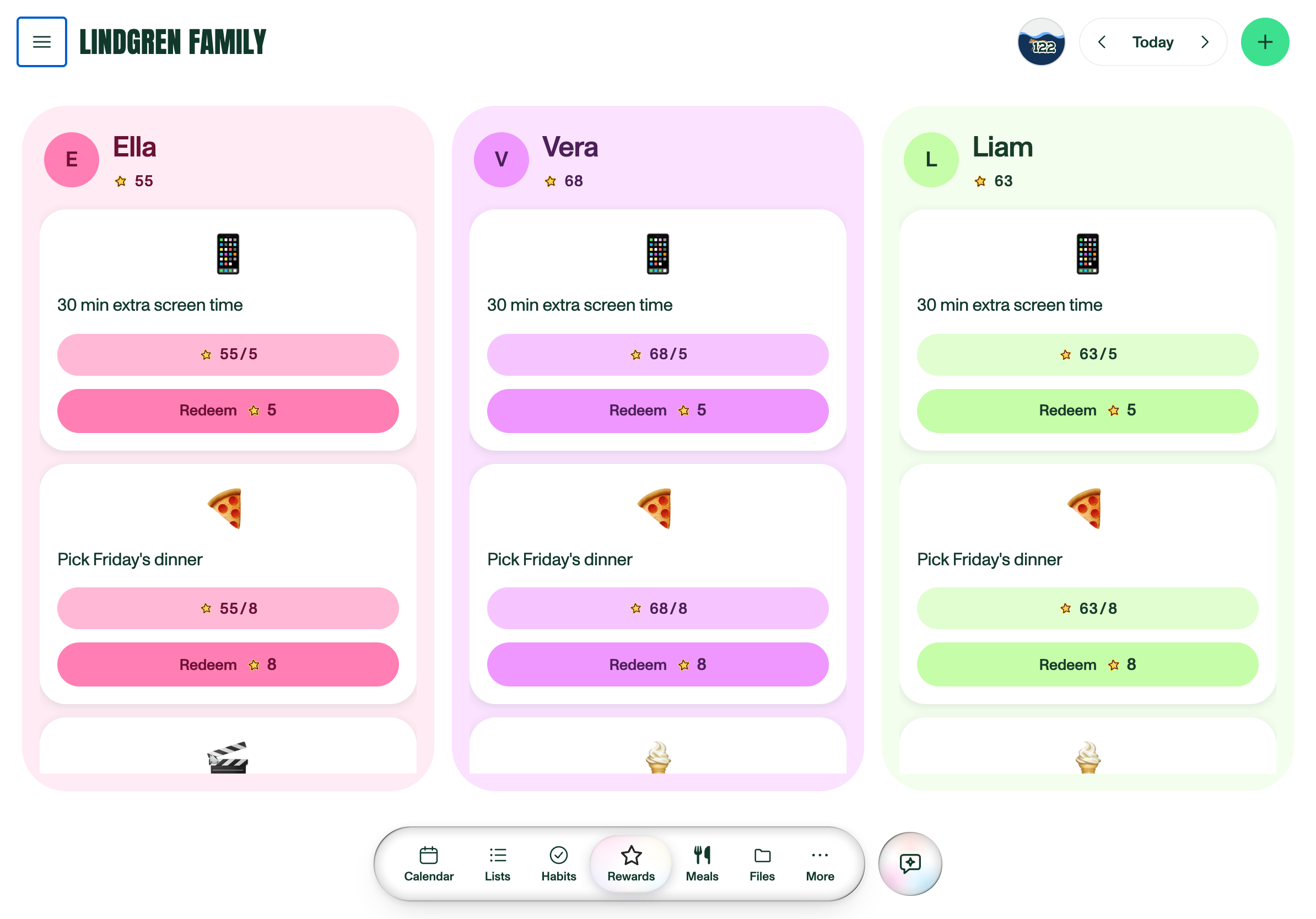
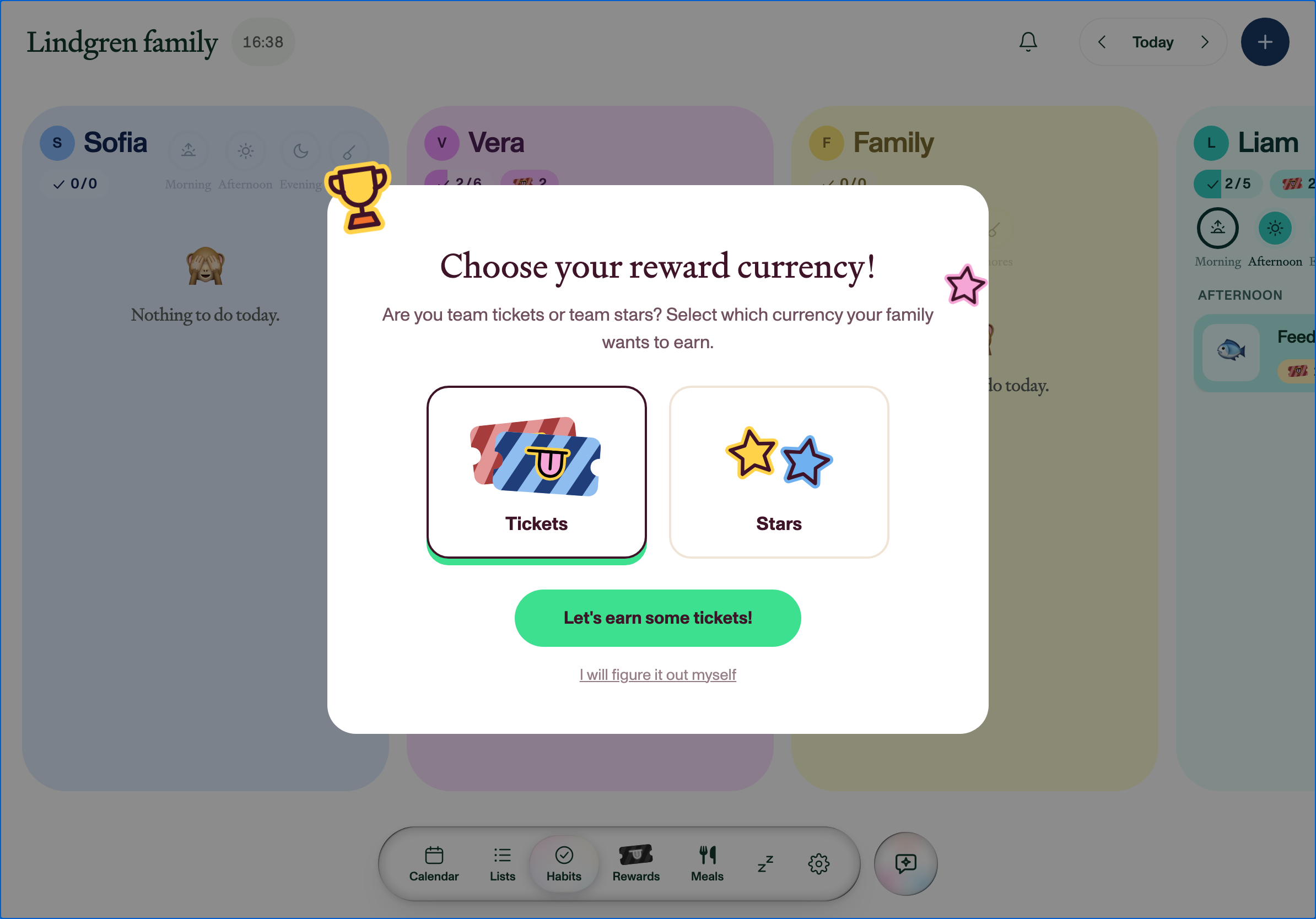
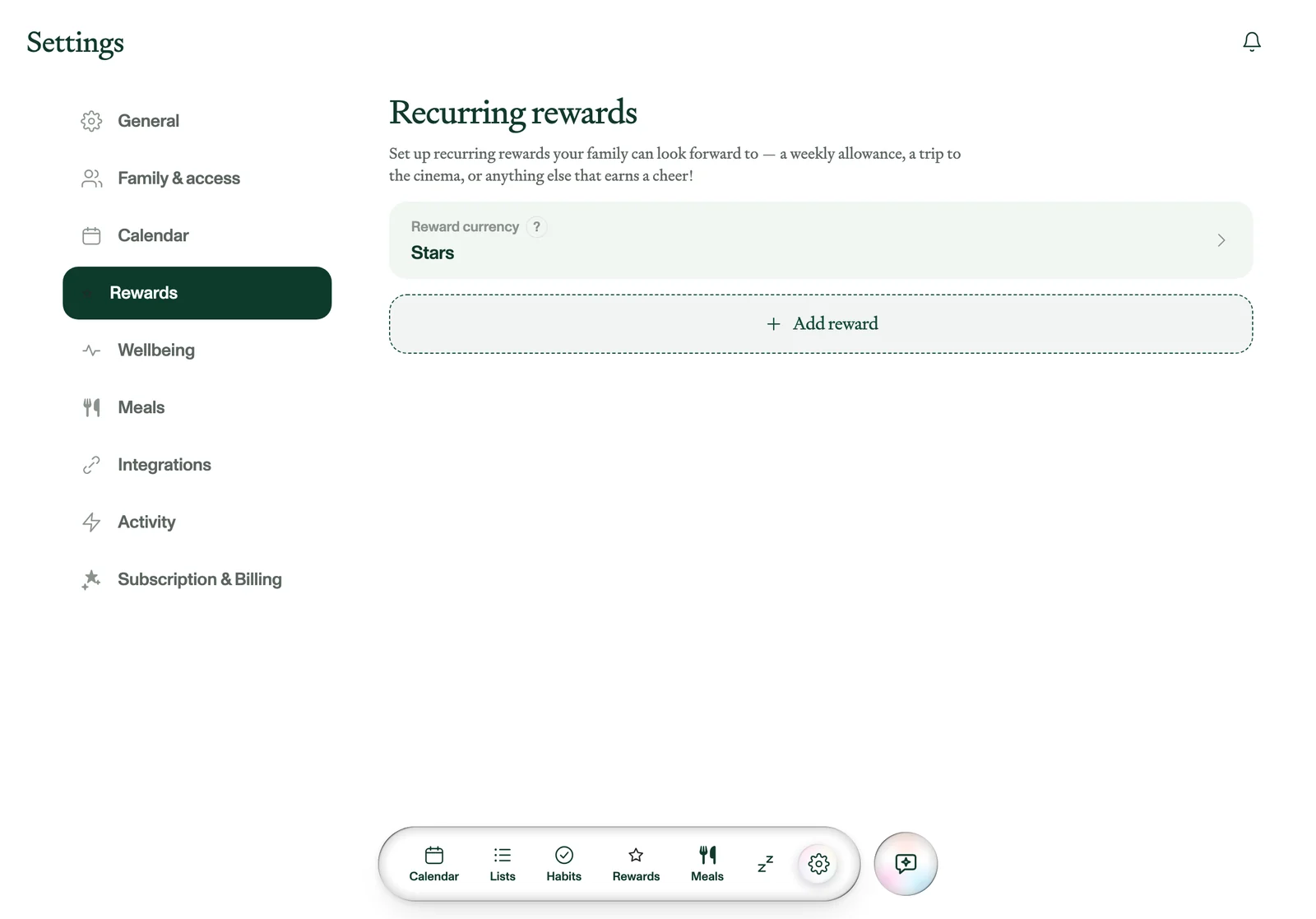
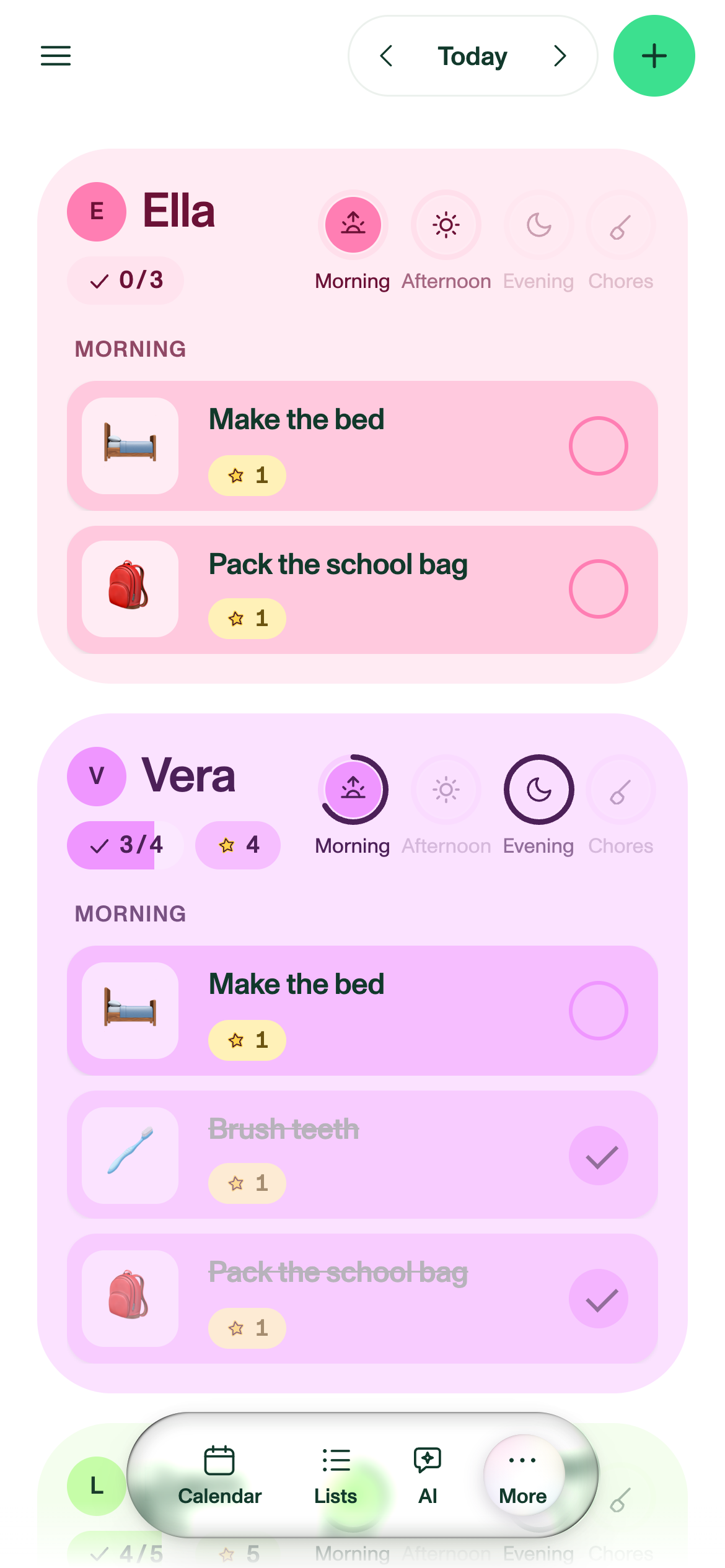
Kids tick off their own routines for the morning, afternoon and evening, plus chores, and earn whichever currency the family picked, tickets or stars. Parents decide what the rewards are and what they cost, and the balance goes down when it's spent.

Plannie's habits view with a column each for Ella, Vera and Liam, morning tasks to tick off and a star count at the top.
Today's habits, one column per child. Download PNG
The rewards board in Plannie, with each child's star balance and reward cards showing progress towards them.
Rewards, with each balance and how close it is. Download PNG
MEALS

What's for dinner, sorted

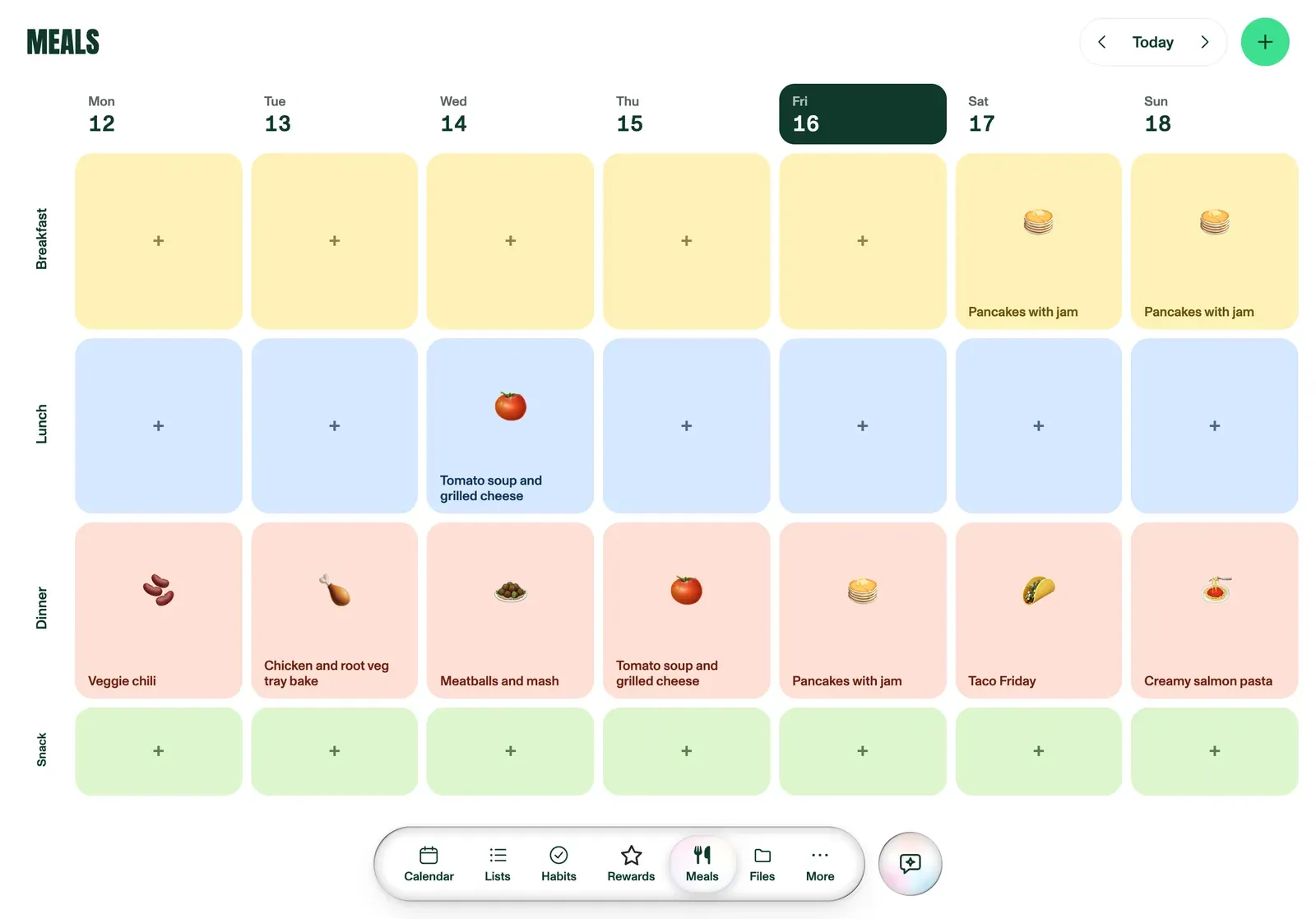
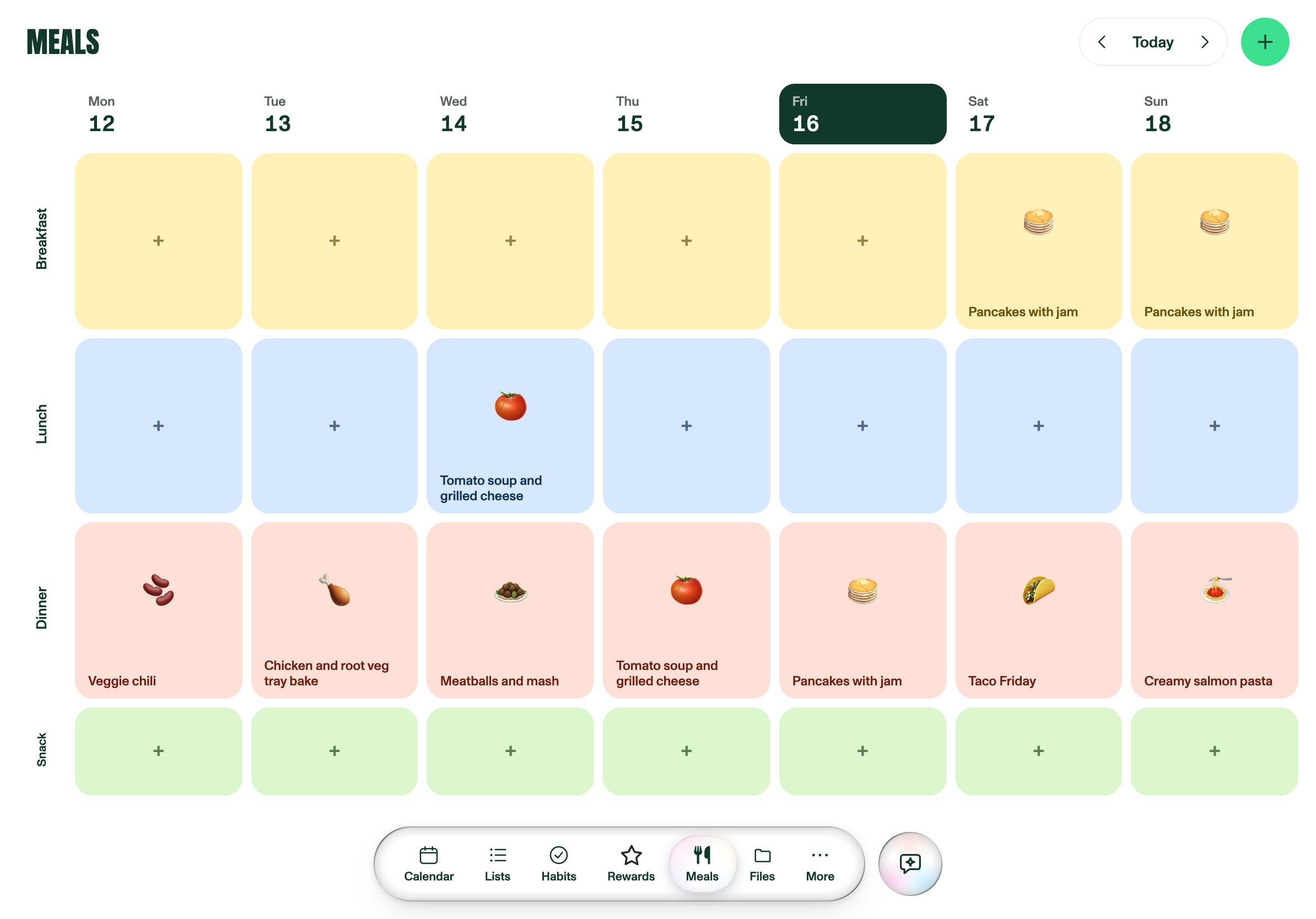
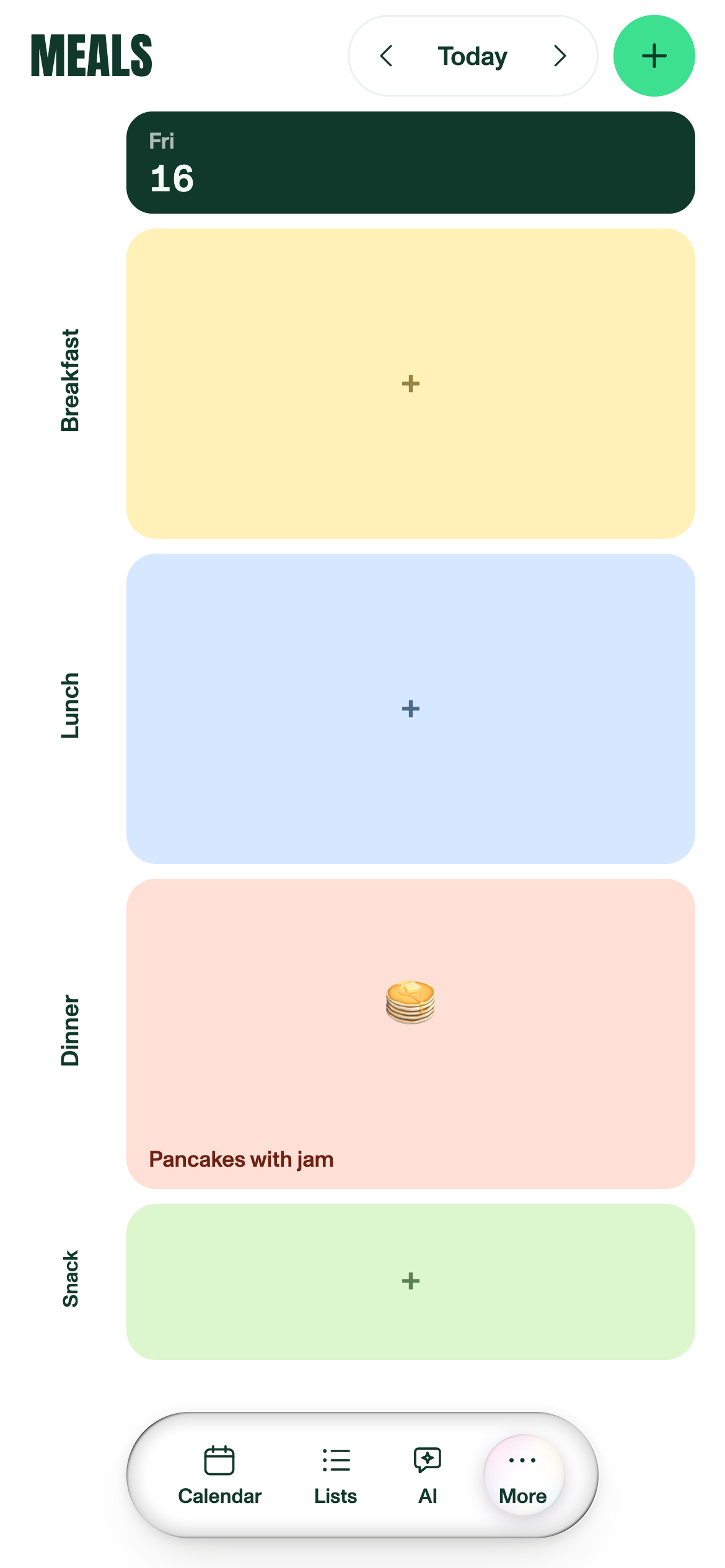
The week is a grid: breakfast, lunch, dinner and snack, seven days across. Paste a recipe link and it becomes a meal, and its ingredients go straight onto the grocery list.

Plannie's meal planner: a week grid with breakfast, lunch, dinner and snack rows filled in with meals.
The week of meals, Monday to Sunday. Download PNG
PLANNIE ASSISTANT & FAMILY INBOX

If you can share it, Plannie can handle it

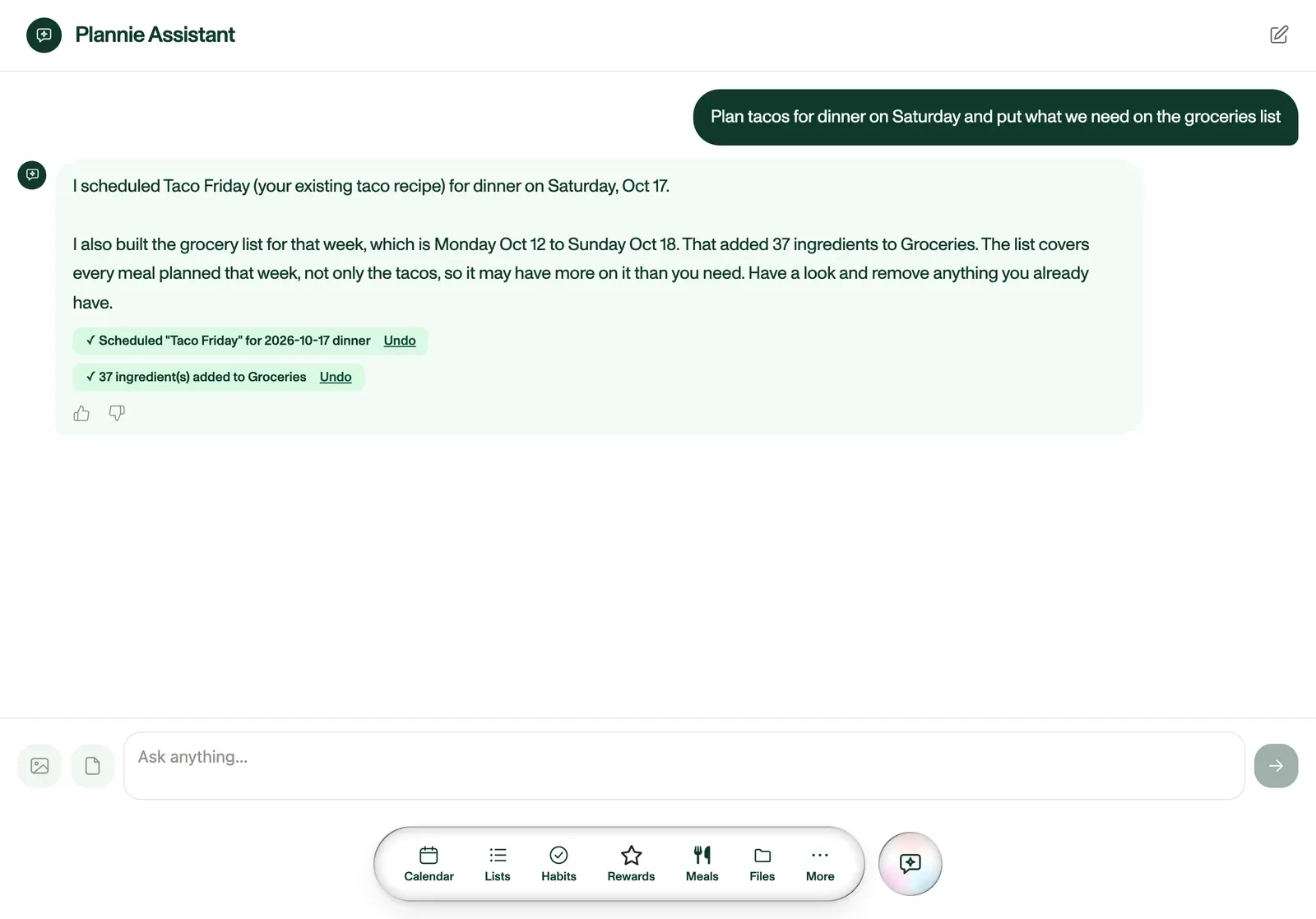
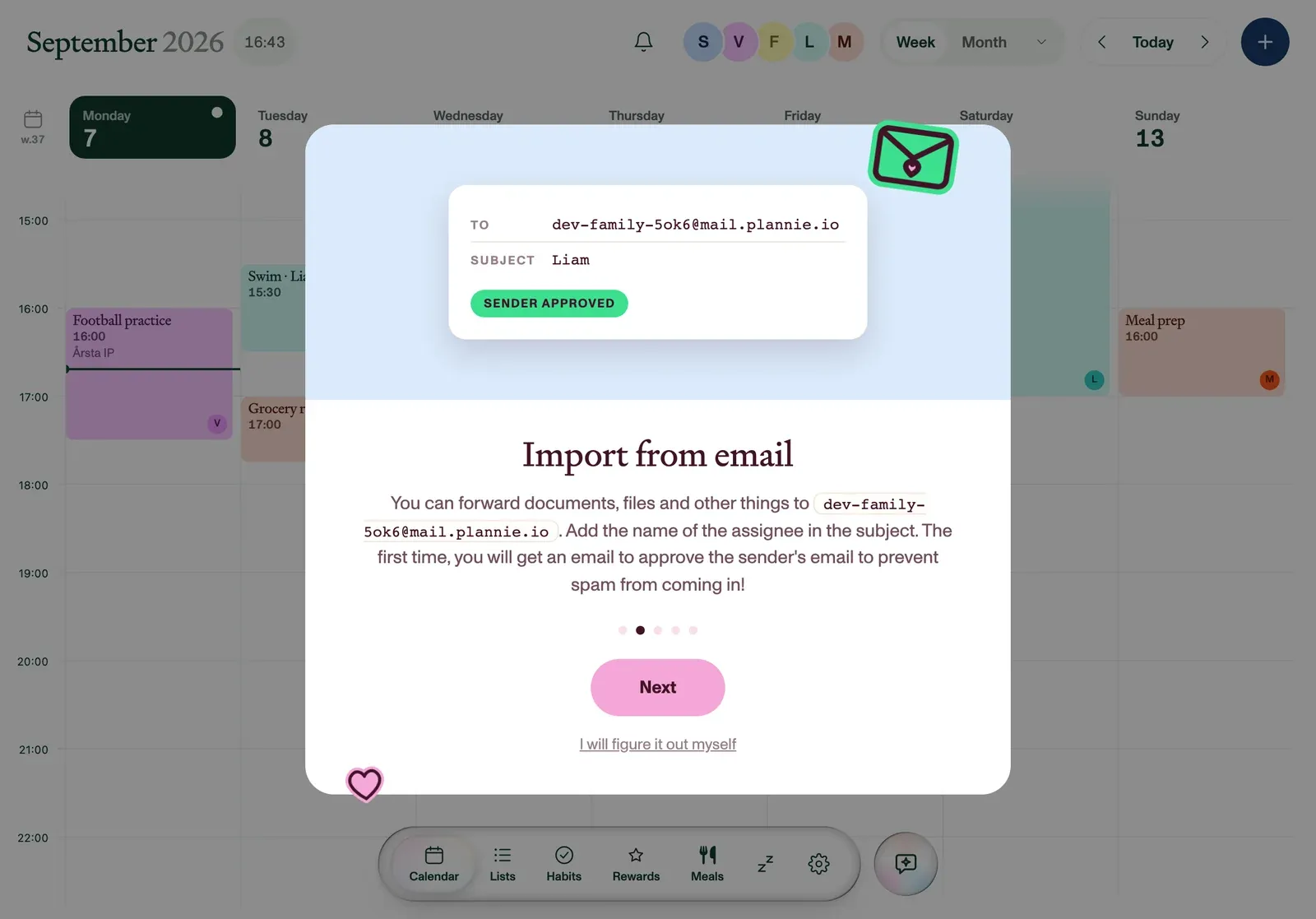
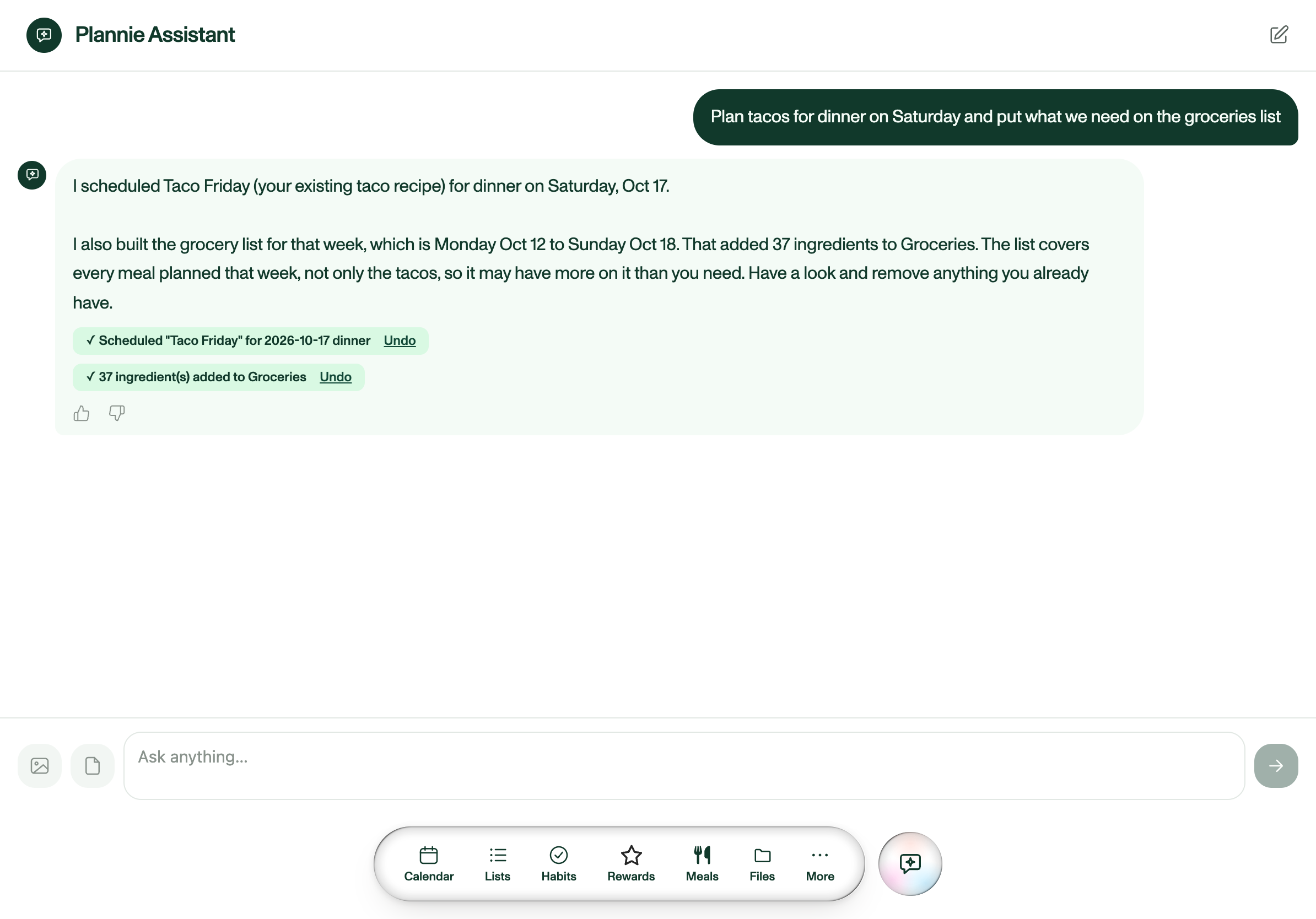
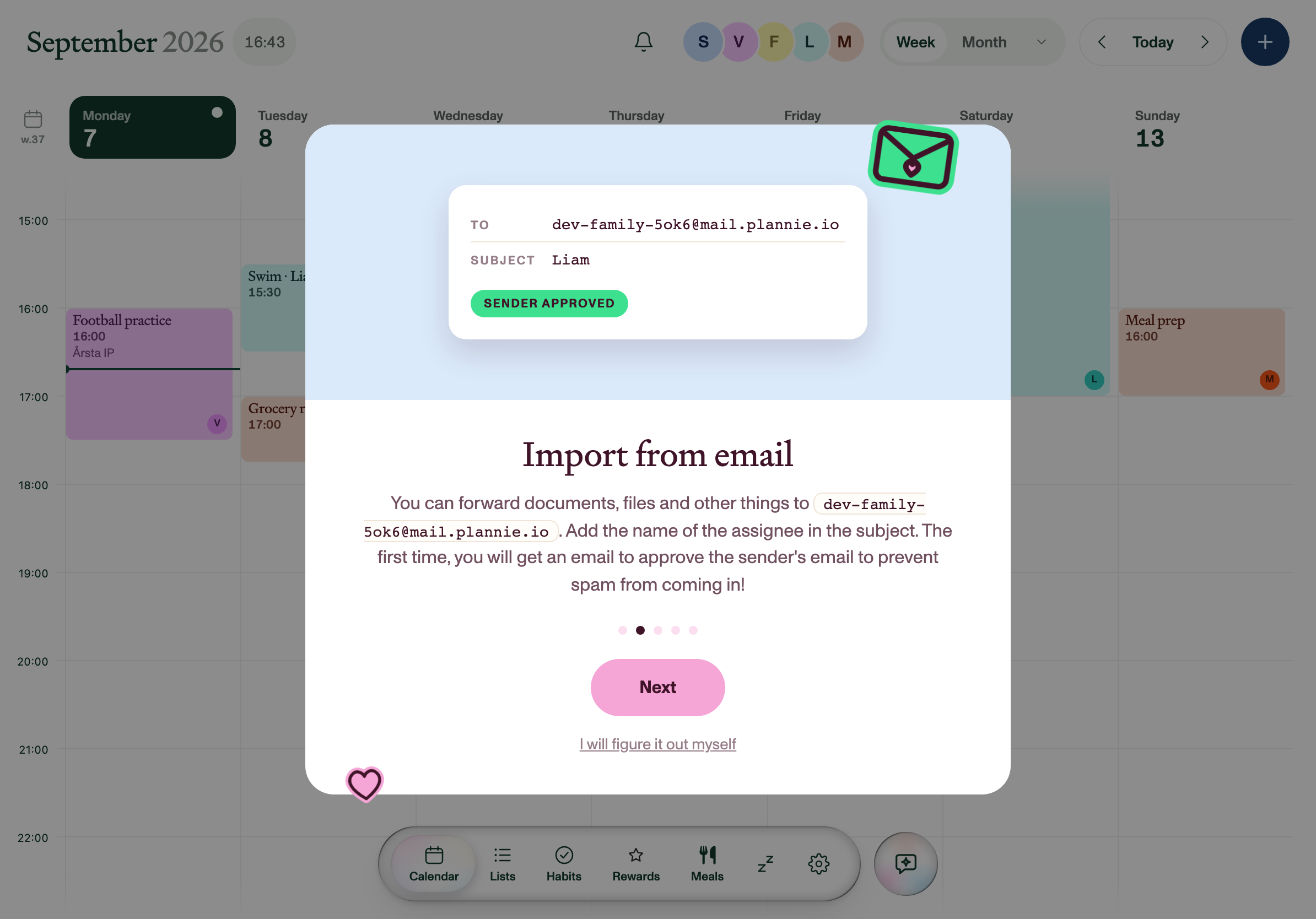
Every household gets its own email address. Forward a school letter, snap a photo of a paper note or share from any app on your phone, and Plannie reads it and files the events. Ask it directly by chat, with a photo or PDF attached, or by voice through Siri. An open REST API and an MCP server put the same household behind your own agent.

The Plannie Assistant chat: asked to plan tacos for Saturday and fill the grocery list, it confirms both, with an Undo link under each change.
The Plannie Assistant planning Saturday's dinner. Download PNG
Plannie showing a household's Family Inbox address and a forwarded email that became an event.
Every household gets its own Family Inbox address. Download PNG
ON IPHONE AND IPAD

The same week, in your pocket

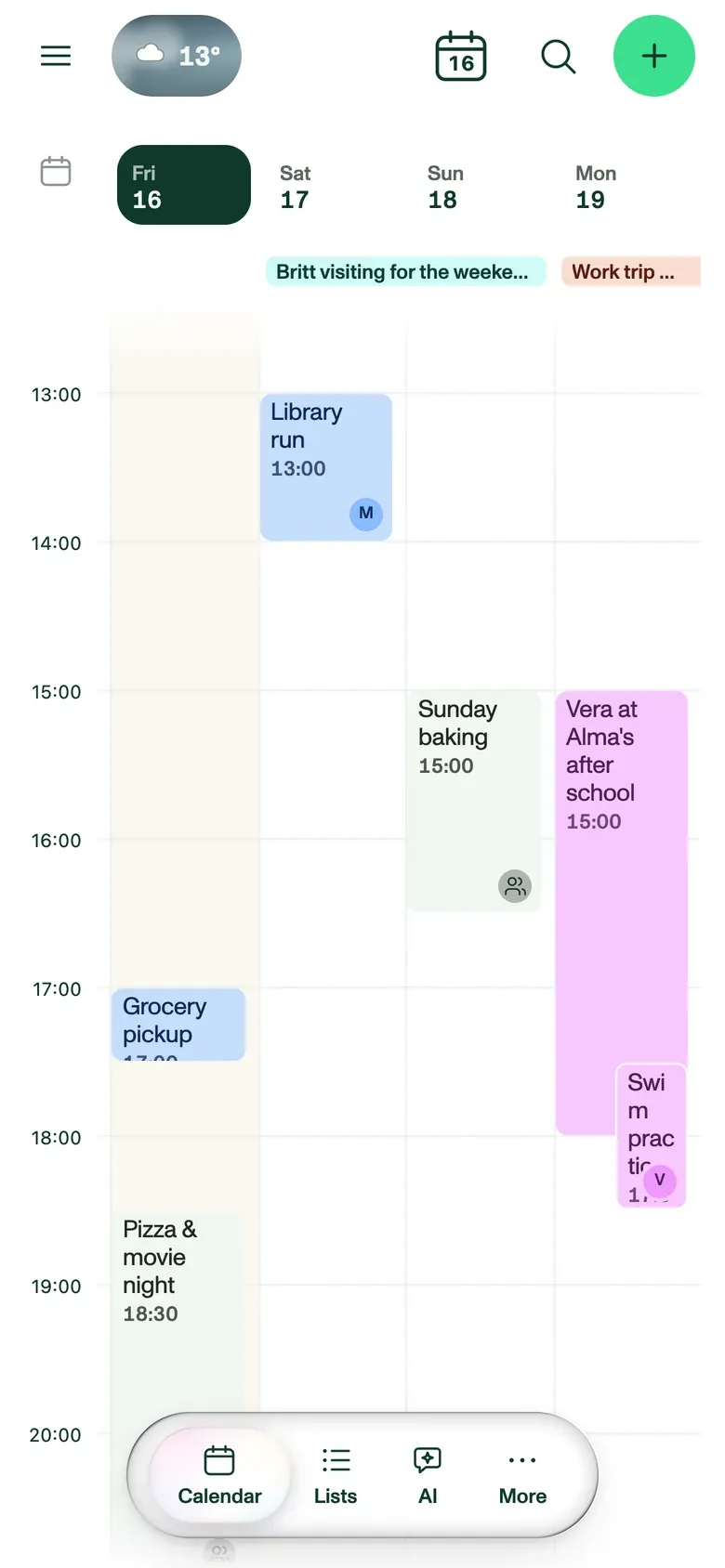
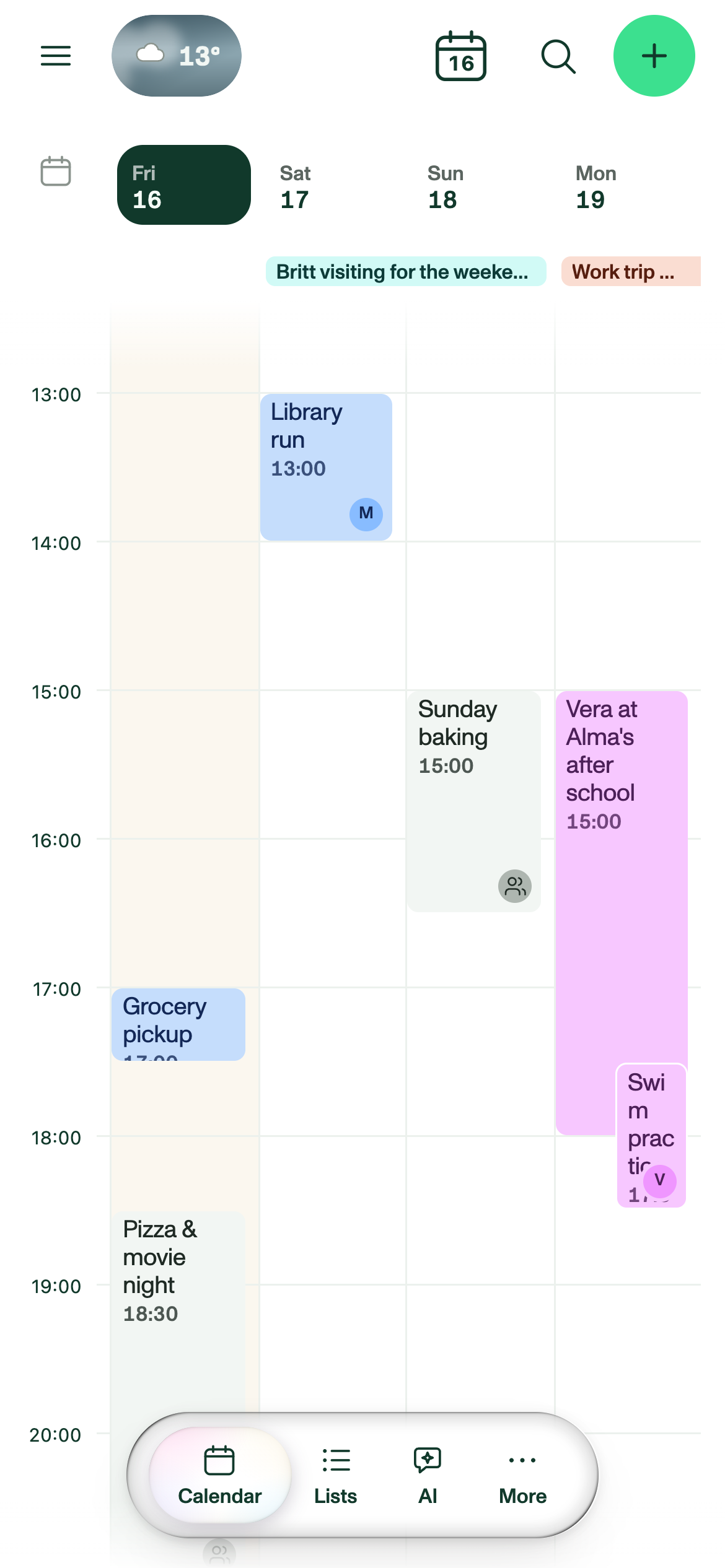
The app shows the same household as the tablet on the wall, with the next four days, invitations to answer and the family's papers. On iPhone, widgets put the plan on the Home Screen and Lock Screen, and Siri can tell you what's on today. While you shop, the grocery list sits on the Lock Screen, and lists sync both ways with Apple Reminders. The app keeps working without signal and catches up when you're back online. It's on the App Store, and Android is in the works.

Plannie's 4-day view on a phone, with colour-coded events from Friday to Monday.
The next four days. Download PNG
An event invitation on a phone in Plannie, with Yes, No and Maybe buttons and the guest list.
Answering an invitation. Download PNG
Files on a phone in Plannie, with family folders and two museum trip documents in the spotlight.
The family's papers. Download PNG
SCREENSHOTS

Screenshot library

Every screenshot shows a demo family, so the names, photos and events in them are made up. You are free to use them in coverage of Plannie. A credit to Plannie is appreciated. Tablet screenshots are 2388 × 1668 PNG (the portrait one is 2048 × 2732) and phone screenshots are 1170 × 2532 PNG; one is WEBP only. The format and size are under each one.

LOGOS & BRAND

The marks and the colours

All of these are in the .zip as well. Pick the version that suits your background rather than editing one to fit.

Logo lockup
Logo lockup Mark and wordmark, for light backgrounds plannie-icon-text-lightmode.svg
Logo lockup, reversed
Logo lockup, reversed For dark backgrounds plannie-icon-text-darkmode.svg
Wordmark
Wordmark Plum ink, for light backgrounds logo-wordmark-ink.svg
Wordmark, white
Wordmark, white For dark backgrounds logo-wordmark-white.svg
The mark on its own
The mark on its own The tongue face, no wordmark plannie-icon-only.svg
App icon
App icon Rounded like on the home screen, transparent corners. 1024 px PNG; 512 and 256 are in the .zip plannie-app-icon-1024.png

Palette

  • Cream #FFF3E3
  • Plum ink #401428
  • Mint #3CE08F
  • Forest #0F5132
  • Sun #FFD24A
  • Bubblegum #F5A6D7
  • Orange #F1702B
  • Navy #14477E

Three rules

  • Use the files as they are. Don't recolour, redraw, outline or stretch the logo, and don't rebuild the wordmark in another typeface.
  • Keep clear space around it, at least the height of the mark on every side, and keep it off busy photography.
  • The tongue mark is the app icon and the only mark that stands in for Plannie. The stickers are decoration; none of them is a logo.
GET IN TOUCH

Ask us anything this page didn't answer.

Press enquiries go through the contact form. Write "Press" in your message and it reaches the right people. Feature requests, bugs and the public roadmap live on feedback.plannie.io.

We're glad to set a reviewer up with a Premium household to test with, to talk through how the sync or the assistant works, or to dig out a screenshot that isn't on this page.