

One calendar, everyone can see.
Plannie is a shared family calendar app: one colour-coded schedule that every household member can see and add to, synced two-way with Google Calendar and Outlook so nothing has to be re-entered by hand.
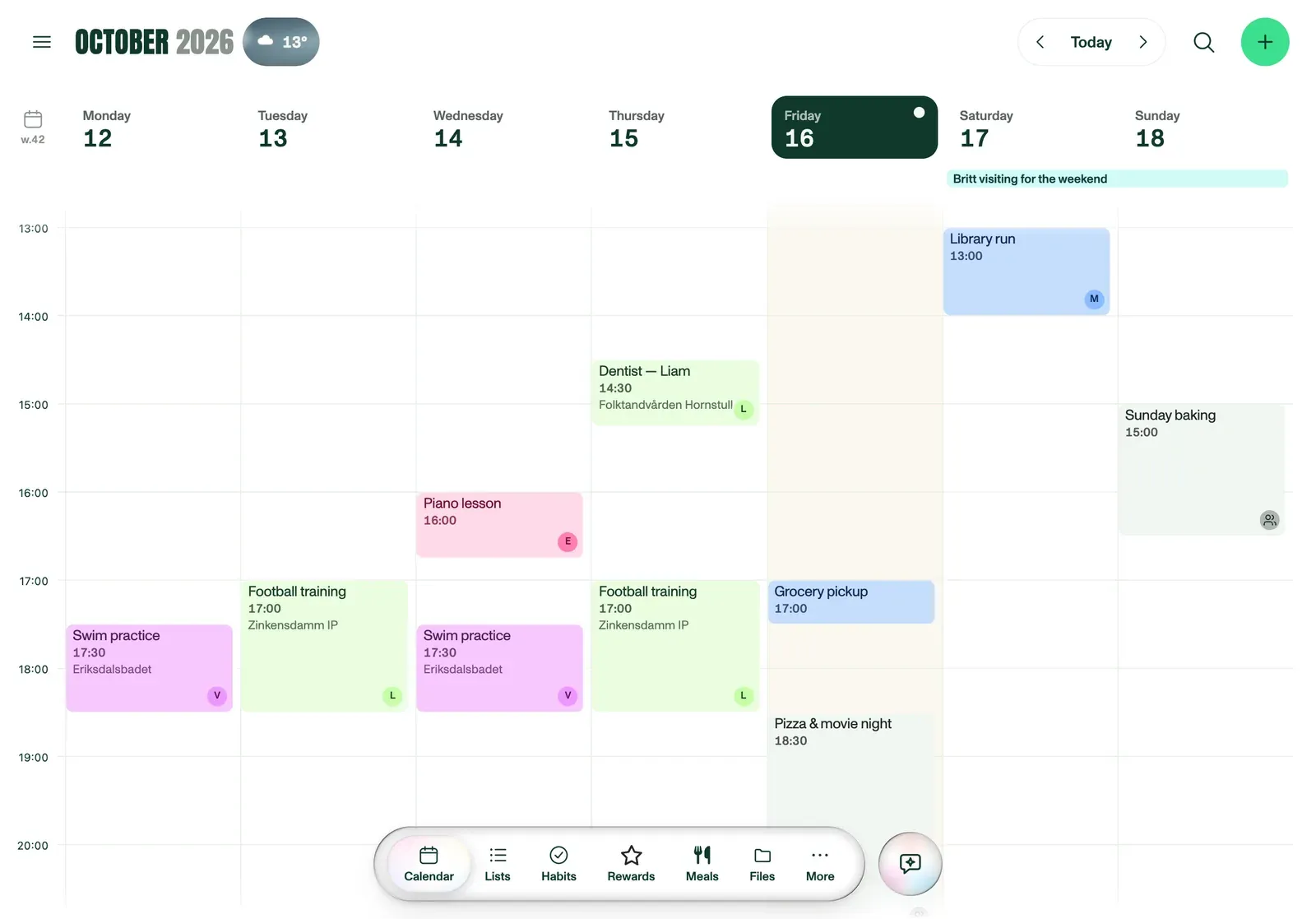
Every calendar, in one place
Each adult connects their own Google or Outlook account under Settings → Family & access → a member → Sync & calendars → Connect a calendar. Sync runs two-way from that point on, so an event added on either side appears on both. Apple Calendar users subscribe a read-only feed, which shows every event but doesn't accept edits back.
- Two-way Google & Outlook sync, no manual re-entry
- Apple Calendar as a read-only subscribed feed
- One colour per household member, visible in every view
- Day, 5-day, week and month views on a real time grid
HOUSEHOLD SETUP
- Create your household and add each member with their own colour.
- Connect Google, Outlook, or subscribe an Apple Calendar feed, under Settings → Family & access → a member → Sync & calendars → Connect a calendar.
- Open Plannie on any phone, laptop or tablet. It is the same calendar, everywhere.
Works on what you already own
Plannie runs on any phone, laptop or tablet, with no specific hardware to buy. Mount a spare tablet on a wall in kiosk mode for an always-on family view (see the digital family calendar guide), or just check the day from whatever's in your pocket.
Frequently asked
What is a shared family calendar?+
A shared family calendar is one calendar every household member can see and add to, instead of each person keeping their own, so a dentist appointment booked on one phone shows up everywhere else automatically. Plannie is a shared family organiser built around exactly that: one colour-coded calendar for the whole household.
Does Plannie work with Google Calendar, Outlook and Apple Calendar?+
Google Calendar and Outlook sync two-way, so a change made in Plannie or in the connected calendar shows up on both sides. Apple Calendar comes in as a subscribed read-only feed. It displays correctly in Plannie, but changes made in Plannie do not push back out to Apple Calendar.
Do I need to buy a wall-calendar screen?+
No. Plannie runs in the browser on any tablet, laptop or phone you already own. Mount a spare tablet on the kitchen wall and turn on wall-display mode. See how in the digital family calendar guide.
Can one subscription cover the whole family and multiple devices?+
Yes. One Premium plan covers every household member and every device: the tablet on the wall, every phone, no per-device or per-person pricing.